Why Agencies Have Unique CRM Needs (That Most Platforms Ignore)
Before comparing HubSpot and Salesforce, it’s worth being honest about why agency CRM adoption is notoriously bad. Most CRM platforms are designed for companies that sell products to strangers – cold outbound, demo requests, structured sales stages, a clear handoff from marketing to sales to customer success.
Agencies don’t work that way.
Agency new business development is relationship-first and nonlinear. A prospect might follow your CEO on LinkedIn for six months, engage with three pieces of content, get a referral from a mutual contact, have a casual call at an industry event, and then reach out 14 months later when they have budget. Your CRM needs to track that entire nonlinear journey – not force it into a 7-stage sales pipeline that assumes a stranger is moving from awareness to close in 30 days.
Agency pipelines mix different types of revenue. You’re tracking new logo deals (net new clients), expansion revenue (existing clients buying new services), retainer renewals (your baseline recurring revenue), and project-based work (one-off engagements with variable scope). Each of these has different stages, different stakeholders, different follow-up rhythms. A CRM that handles only linear new business pipelines fails the moment you try to track renewal risk on a client you’ve had for three years.
Agencies have two distinct customer types in the same CRM. New business prospects are companies you want to win. Existing clients are companies you want to retain, expand, and use as references. These two groups need different communication cadences, different data fields, different pipeline views, and different reporting. Most CRMs treat every contact the same way. The ones that handle this well are worth significantly more to agencies.
Your team does new business and delivery simultaneously. An account manager at a 20-person agency might be running a client QBR in the morning and a new business pitch deck in the afternoon. They need a CRM that’s fast enough to update on the go, clear enough to show which relationships need attention this week, and connected to email well enough that client conversations don’t require manual logging.
What Agency Owners and New Business Directors Actually Say
Real-world experience from agency teams cuts through vendor marketing faster than any feature comparison.
On HubSpot for agencies:
“HubSpot is the first CRM we’ve used where the marketing team and the sales team actually share data. Before marketing would run LinkedIn campaigns and have no idea if any of the leads converted. Now the whole funnel is visible in one place and we can see exactly what drove new business.”
“The retainer pipeline view in HubSpot is something we built with custom deal stages, and it took about two hours. Before that we were tracking renewals in a spreadsheet. It’s embarrassing how long we waited to do this.”
“The reason agencies end up with Salesforce is usually that they won an enterprise client who insists on it for integration purposes, or their CEO came from a corporate background. Neither of those is a reason to spend $80K/year on a CRM when you have 18 people.”
On Salesforce for agencies:
“Salesforce made sense when we were 80 people and managing enterprise relationships that required custom approval workflows, complex reporting across multiple practice areas, and integration with our clients’ own systems. It absolutely did not make sense at 25 people, and we wasted 18 months finding that out.”
“The thing nobody tells you about Salesforce for agencies is that you spend half your implementation budget on making it look like what HubSpot looks like out of the box.”
“We were a 15-person agency on Salesforce. Our Salesforce admin left. We had two options: hire another admin at $90K or switch CRMs. We switched to HubSpot in six weeks and never looked back.”
On the LinkedIn prospecting gap:
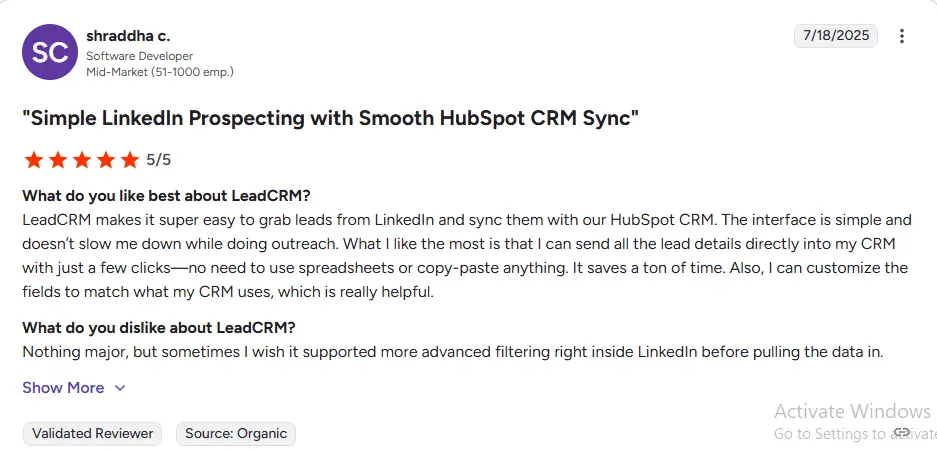
“LinkedIn is where all of our new business comes from – inbound from thought leadership, outbound through connection requests, referrals through mutual connections. Our CRM needs to work with LinkedIn, not alongside it. HubSpot is close but still requires too much manual data entry.”
The consistent theme across agency teams: HubSpot wins on usability, cost, and marketing integration. The main reason agencies end up on Salesforce is historical accident, investor pressure, or a client requirement – not a deliberate choice based on actual needs.
Pricing: What Agencies Actually Pay
HubSpot for Marketing Agencies
HubSpot has a dedicated Solutions Partner Program that’s specifically relevant for marketing agencies – more on that below. But first, the standard pricing:
Free Plan ($0):
Full CRM with contact and company management, deal pipeline, email tracking, meeting scheduling, live chat, and basic reporting. For a founding team or a 2–3 person agency just getting organized, this covers new business basics without any cost.
Starter ($15–$20/user/month):
Removes HubSpot branding from emails and forms, adds basic automation and sequences. For a boutique agency with 5–10 people doing primarily inbound new business, this is a realistic starting point at $75–$200/month total.
Professional (from $800/month for 5 seats included):
This is the tier where HubSpot becomes genuinely powerful for agencies. You get the full marketing automation stack – email campaigns, landing pages, blog management, social publishing, ad attribution – alongside complete CRM and sales pipeline management. For an agency that uses HubSpot to run client campaigns and manage its own new business development, the Professional tier essentially gives you a two-in-one: your agency’s CRM and a working demonstration of the platform you sell to clients.
HubSpot Solutions Partner Program:
This is a significant consideration most comparisons miss entirely. Agencies that join the HubSpot Partner Program get access to discounted licenses, client management tools (the Partner Portal lets you manage multiple client HubSpot accounts from one dashboard), co-marketing opportunities, and revenue sharing on new HubSpot clients you refer. For agencies that resell or implement HubSpot for clients, the partnership turns a cost center into a revenue stream.
Enterprise (from $3,600/month for 7 seats):
Custom objects, advanced attribution, sandboxes, and the full AI suite. Relevant for larger agencies running complex, multi-service pipelines with enterprise clients and dedicated RevOps support.
Salesforce for Marketing Agencies
The Salesforce pricing structure for agencies is the same as for any other business – there’s no agency-specific program or partnership model comparable to HubSpot’s.
Professional ($80–$100/user/month):
Basic pipeline and forecasting. No marketing automation included. A 10-person agency pays $9,600–$12,000/year in licenses alone – and still needs to add a marketing automation tool to run their own campaigns.
Enterprise ($165/user/month):
Full customization, Salesforce Flow, API access. A 15-person agency is now at $29,700/year in licenses before implementation, admin, or any marketing tools.
The agency-specific cost problem with Salesforce:
Agencies need to run email campaigns, manage content, and track campaign attribution for their own new business development – the same things they do for clients. With Salesforce, you need Marketing Cloud or a third-party marketing automation tool to do this, adding $1,250–$4,000+/month to your CRM bill. HubSpot solves this natively.
Agency Cost Comparison: 15-Person Team Over 3 Years
| Cost Component | HubSpot Professional | Salesforce Enterprise |
|---|---|---|
| License (Year 1) | ~$13,800 (15 seats at scale) | ~$29,700 |
| Implementation | $3,000–$8,000 | $15,000–$50,000 |
| Marketing automation | Included | +$15,000–$48,000/yr |
| Admin cost | $0 – self-managed | $40,000–$120,000/yr |
| 3-Year TCO estimate | ~$55,000–$75,000 | ~$230,000–$420,000 |
For most 15-person agencies billing $1.5M–$3M/year, a $150,000–$350,000 CRM overhead gap is an existential difference in profitability.
Feature Comparison: What Agencies Actually Need in a CRM
New Business Pipeline Management
Agency new business pipelines have unique requirements. Unlike SaaS, where a prospect either converts or churns, agency relationships are long-nurture, often dormant for months before becoming active. You need a CRM that handles the full relationship lifecycle – not just the hot-pipeline stage.
HubSpot for agency pipelines:
HubSpot’s pipeline flexibility is excellent for agencies. You can create multiple deal pipelines – one for net new clients, one for retainer renewals, one for project expansions, one for partnership opportunities – each with custom stages that reflect how your agency actually sells. A typical agency new business pipeline in HubSpot might look like: Awareness → Relationship → Qualified Opportunity → Proposal → Negotiation → Closed Won/Lost.
The Contact Timeline feature is particularly valuable for agencies. Every email exchange, LinkedIn message (when logged), meeting, call, and note is chronologically visible on the contact record. For relationship-led sales with 6–18 month nurture cycles, this gives any team member instant context on where the relationship stands – without asking the account director to brief everyone at the start of every meeting.
HubSpot’s Sequences feature allows you to build personalized, multi-step email outreach campaigns directly from the CRM. For agency new business teams doing targeted outreach to specific industry verticals – say, a run of 50 fintech companies in Q2 – you can build a sequence once and run it across the entire target list, with every email logged automatically to the contact record.
Salesforce for agency pipelines:
Salesforce’s pipeline management is fully customizable – you can model any sales process with enough configuration. For agencies with enterprise clients that require custom approval workflows, multi-stakeholder opportunity management, or complex forecasting across multiple service lines, Salesforce’s capability is genuinely unmatched.
The practical limitation for most agencies: Salesforce’s out-of-the-box experience is configured for product sales. Building an agency-appropriate pipeline in Salesforce requires either a knowledgeable admin or an implementation partner. The same 3-pipeline setup that takes a HubSpot-fluent agency owner an afternoon takes a Salesforce implementation project.
Verdict on pipelines: HubSpot wins on speed-to-value and day-to-day usability. Salesforce wins when you have dedicated operations resources and genuinely enterprise-grade sales process complexity.
Retainer Tracking and Client Revenue Management
This is a feature area where most CRM comparisons completely fail agency teams – because most comparisons are written for product companies. For agencies, retainer revenue is the heartbeat of the business, and tracking renewal risk, upsell opportunities, and retainer health is as important as tracking new business pipeline.
HubSpot for retainer management:
With custom deal properties and pipeline stages, HubSpot can track retainer status, renewal dates, monthly retainer value, and contract end dates on a dedicated retainer pipeline. Set up workflow automations to alert the account manager 60 days before a renewal date. Build a dashboard that shows retainer health across all clients – contract value, remaining months, last engagement date, and open support tickets from Service Hub if you use it.
HubSpot’s Associations feature lets you link multiple contacts (the CMO, the marketing manager, the CFO who approves renewals) to a single company and deal record, each with their own relationship notes and communication history. For agency client management, this is essential – retainer renewals often require alignment across 3–4 client stakeholders, and you need visibility into each relationship separately.
Salesforce for retainer management:
Salesforce’s opportunity and account management is more powerful in absolute terms – and genuinely better at complex multi-stakeholder, multi-product client relationships. For an agency managing 10 enterprise clients who each buy 4–5 different services across multiple teams, Salesforce’s account hierarchy and revenue management tools provide better structure.
The challenge is that accessing these capabilities well requires an admin who knows how to build them. A Salesforce instance that isn’t actively maintained by a knowledgeable admin drifts quickly – fields get unused, custom objects become orphaned, and the system stops reflecting reality.
Verdict on retainer tracking: Both can do it. HubSpot gets you there in a day with no technical support. Salesforce gets you there better – eventually – with the right admin investment.
LinkedIn Integration: The Agency New Business Channel
For marketing agencies, LinkedIn is not just a prospecting tool – it’s the primary thought leadership and inbound lead generation platform. Your CEO posts a framework article. A CMO at a target account engages with it. Three weeks later their comms director sends a connection request. Two months after that they email about a pitch. That’s a realistic agency new business story in 2026 – and it entirely runs through LinkedIn.
The problem: most of that journey is invisible to your CRM.
HubSpot + LinkedIn:
The LinkedIn Sales Navigator integration in HubSpot (available on Professional and above) embeds a LinkedIn panel inside contact and company records. You can view a prospect’s profile, see shared connections, send InMails, and access Sales Navigator Smart Links to track prospect engagement with your content.
What it doesn’t do: log LinkedIn activity automatically to the contact timeline. If your target CMO liked your post, viewed your profile, or engaged with a video – none of that flows into HubSpot unless your rep manually notes it. For an agency where the business development lead is also managing client accounts, that manual step gets skipped. The contact timeline ends up incomplete, and the next person who picks up the relationship has no context on recent LinkedIn engagement.
Salesforce + LinkedIn:
The Salesforce Sales Navigator integration at Enterprise level is slightly deeper – more consistent InMail logging and better embedded profile views. But the same fundamental limitation applies: LinkedIn’s engagement data (content views, profile visits from target accounts, connection request timing) does not automatically feed into Salesforce records as intent signals.
The enrichment gap both integrations share:
Neither HubSpot nor Salesforce natively pulls verified contact data from LinkedIn profiles into CRM fields. Your rep finds a great prospect – a CMO at a 200-person fintech firm – saves them in Sales Navigator, and then has to manually type their email, phone number, and job title into the CRM record. That manual copy-paste step, multiplied across every prospect in a targeted outreach campaign, represents hours of wasted time per week across the BD team.
For agencies doing structured LinkedIn outreach to specific ICP verticals, this is the workflow inefficiency that compounds into a meaningful productivity tax. It’s solvable – but not by the CRM alone.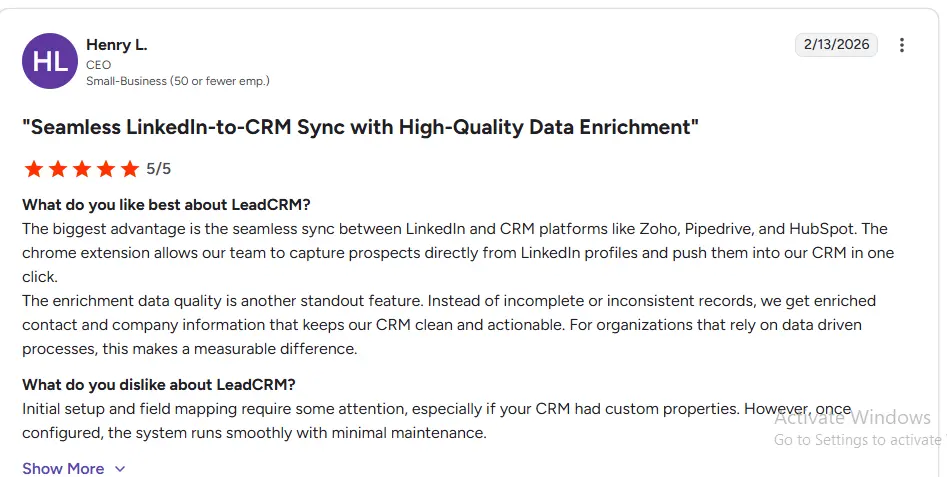
Marketing Automation: The Agency Superpower in HubSpot
Here’s the defining competitive advantage of HubSpot for agencies, and it’s one that Salesforce simply cannot match without significant additional investment:
HubSpot lets you run your agency’s own marketing from the same tool you use to manage your new business pipeline.
Think about what that means in practice. Your agency is producing content – blog posts, LinkedIn articles, case studies, whitepapers, webinar recordings. You’re running paid LinkedIn campaigns targeting CMOs at companies in your target verticals. You’re hosting events and building an email list. You’re doing outbound sequences to cold prospects at the same time.
With HubSpot Professional, all of that lives in one platform:
- Your blog is hosted on HubSpot (or your CMS pulls data from it)
- Your LinkedIn ads are connected and attribution is tracked
- Email campaigns to your marketing list run from Marketing Hub
- A prospect who reads your case study, downloads your service deck, and registers for your webinar gets a lead score that automatically triggers a BD sequence in Sales Hub
- When that prospect becomes a client opportunity, the entire pre-sales engagement history – every email, every content touchpoint, every LinkedIn ad click – is visible in the deal record
That end-to-end attribution is what makes HubSpot uniquely powerful for agencies. You can prove which piece of content, which LinkedIn campaign, or which event drove new business. For an agency trying to improve its own new business efficiency – and demonstrate to clients that inbound marketing works – this is both operationally powerful and commercially valuable.
With Salesforce, achieving this same marketing-to-sales attribution requires Marketing Cloud (a separate product starting at $1,250/month), custom integration work between Marketing Cloud and Sales Cloud, and an admin who can maintain the sync between the two systems. For a 20-person agency, that’s an overhead that kills the ROI before you’ve generated a single attributed deal.
Reporting for Agency New Business
Agency new business leaders need specific reporting that standard CRM dashboards rarely provide out of the box:
| Report | HubSpot | Salesforce |
|---|---|---|
| Pipeline by service type | Custom deal properties + grouping | Configurable, more flexible |
| New business vs. expansion revenue split | Native with pipeline segmentation | Configurable |
| Lead source attribution (LinkedIn, referral, event) | Multi-touch, native (Pro+) | Advanced with Tableau (extra cost) |
| Retainer renewal forecast | Custom pipeline + deal properties | Powerful with custom build |
| Average deal size by industry vertical | Custom reporting (Pro+) | Native |
| Time in pipeline stage | Native | Native |
| Rep activity (calls, emails, LinkedIn messages) | Tracked automatically | Tracked automatically |
| Marketing campaign → new business attribution | Native – full funnel | Requires Marketing Cloud integration |
| Client health / NPS | Service Hub (additional cost) | Configurable |
For a 15–25 person agency, HubSpot’s Professional reporting covers everything a managing director needs for weekly pipeline reviews, monthly board reports, and quarterly new business planning. The limitations surface when you’re running a multi-practice, multi-country agency with complex revenue attribution across dozens of service lines – which describes maybe 5% of agencies under 50 people.
AI Features: What Matters for Agency BD Teams in 2026
HubSpot Breeze for Agencies
Breeze Copilot is genuinely useful for agency new business. Before a prospect call, ask it to summarize the last six months of contact interactions, pull key details from the company record, and draft a personalized agenda. After the call, dictate notes and let Breeze draft a follow-up email and create the next task. For BD leads managing 30–50 active prospects simultaneously, this reduces administrative time enough to materially increase the volume of relationships you can manage.
Breeze Prospecting Agent researches target accounts, pulls in recent news (funding rounds, leadership changes, new product launches, LinkedIn activity), and drafts personalized outreach messages. For agencies building targeted prospect lists by industry vertical, this is like having a research assistant who pre-qualifies every contact before the BD lead ever picks up the phone.
Content AI inside Marketing Hub helps agencies generate first drafts of emails, landing pages, blog posts, and LinkedIn captions. For agencies that use HubSpot to run their own inbound marketing, this accelerates content production for new business without hiring additional writers.
All of this is included in existing HubSpot Professional plans – no add-on cost.
Salesforce Agentforce for Agencies
Agentforce’s autonomous agents can manage pipeline stages, respond to inbound inquiries automatically, route leads by territory or service type, and generate complex pipeline reports. For a large, multi-practice agency with dedicated RevOps, this is powerful operational automation.
For a 20-person agency without a dedicated Salesforce admin: Agentforce requires Enterprise tier ($165/user/month) plus the $125/user/month add-on – making the AI layer alone cost $290/user/month. For a 15-person team, that’s $52,200/year exclusively for AI features. The ROI case at an agency billing $2M/year doesn’t work.
AI Verdict for Agencies: HubSpot Breeze wins decisively on value for agency teams under 50 people. The cost difference is too large to justify Agentforce at agency scale.