Recruitment agencies have a CRM problem that almost every other B2B business doesn’t have. You’re not managing one pipeline. You’re managing two simultaneously – and they’re completely different in nature.
On one side: client pipeline. Companies you want to win mandates from. Business development, first meetings, terms of business negotiations, introductions to hiring managers, retainer agreements. A classic B2B sales funnel where the contact is a decision-maker and the goal is a signed contract.
On the other side: candidate pipeline. People you want to place. Sourcing, screening, shortlisting, interview coordination, offer management, placement follow-up, redeployment. A completely different motion where the “contact” is your product and the goal is matching the right person to the right role at exactly the right time.
Most CRM platforms are built for one of these motions. Almost none are built for both. And the way recruitment agencies typically solve this – two separate systems, a CRM for clients and an ATS for candidates – creates a data disconnect that costs placements.
This is what’s known in recruitment ops circles as the double funnel problem, and it’s the first thing any recruiter should ask about before evaluating HubSpot vs Salesforce.
Bottom line: For recruitment and staffing agencies under 50 people, HubSpot wins – particularly for the double funnel setup, LinkedIn integration, client business development automation, and total cost of ownership. Salesforce is justifiable for large, multi-practice staffing enterprises with enterprise clients and dedicated RevOps. But whichever platform you choose, the data gap – stale candidate records, incomplete client contact data, and no visibility into which companies are actively hiring right now – is what limits your placement rate more than your CRM platform ever will.
The Double Funnel: Why Recruitment CRM Is Different
Before comparing features, let’s be precise about what “the double funnel” means in practice – because getting this wrong is why most recruitment agency CRM setups fail within 12 months.
The client funnel is a standard B2B sales motion. A prospect is a company – a hiring manager, HR director, or CEO – who might award you a recruitment mandate. Your stages look something like: Target → First Contact → Relationship Building → Terms of Business → Active Brief → Placement Fee Won/Lost. This is relationship-led B2B selling with 3–12 month nurture cycles, LinkedIn-driven outreach, and renewal/expansion revenue from repeat placements.
The candidate funnel is fundamentally different. A candidate is an individual – a professional you’ve sourced, screened, and are actively managing toward a placement. Stages: Sourced → Screened → Shortlisted → Submitted to Client → Interview Scheduled → Offer → Placed → Follow-Up/Redeployment. The “deal value” is a placement fee (typically 15–25% of first-year salary). The timeline is days to weeks, not months.
The complexity: these two funnels intersect. When you submit a candidate to a client, both records need to update simultaneously. When a client awards a new mandate, your candidate pipeline needs to reflect new active requirements. When a placed candidate is eligible for redeployment 12 months later, their status needs to resurface in your BD pipeline as an asset, not lie dormant in a closed deal.
A CRM that handles this elegantly – keeping both funnels clean, connected, and without data contaminating each other – is worth its weight in placements. One that forces you to choose between tracking candidates or clients properly will cost you mandates.
What Recruitment Agencies Say About Both Platforms
“The double funnel setup in HubSpot took us two days to build. One pipeline for client BD, one for candidate management, linked by company record associations. It’s not a native ATS – but for a boutique agency doing retained search, it covers everything we need without paying for two separate platforms.”
“Where a traditional ATS sees an applicant, HubSpot sees a relationship. Instead of a transactional process where candidates either get placed or fall off the radar, you can create an engaging, long-term experience. The biggest wins come from automated nurturing – building workflows that automatically send relevant job alerts and keep silver medalist candidates warm for future opportunities.”
“We tried Salesforce at 18 consultants. The problem wasn’t the platform – it’s that Salesforce is built for selling products, not matching people. We were forcing a product sales CRM to manage human relationships with 12-month redeployment cycles. It fought us at every step.”
“The reason LinkedIn is non-negotiable for us is simple – it’s where candidates live. Every good candidate we want is reachable on LinkedIn before they’re on a job board. Our CRM needs to reflect that reality, not pretend cold email is our primary sourcing channel.”
“Forcing an outdated ATS to do the job of a modern CRM is a recipe for inefficiency. The goal isn’t to have technology – it’s to have the right tools for the right jobs. A functional ATS paired with a CRM like HubSpot lets your ATS be the processing engine it was built to be, while HubSpot manages all front-end relationship management.”
The ATS vs CRM Question: What Recruitment Agencies Actually Need
This is the question most CRM comparisons completely avoid – and for recruitment agencies it’s foundational.
An ATS (Applicant Tracking System) is built to manage the operational side of recruiting: resume parsing, job posting management, interview scheduling, compliance tracking, offer letter generation, onboarding workflows. Tools like Bullhorn, Vincere, Greenhouse, Lever, and JobAdder are built for this. They’re excellent at processing volume and managing the logistics of active hiring.
A CRM is built to manage relationships over time: outreach sequences, pipeline tracking, deal management, client communication history, long-term nurture. It’s a revenue tool, not a processing tool.
The reason recruitment agencies struggle with CRM choice is that they need both – and the two systems need to talk to each other or you’ve created data duplication that your consultants will quickly stop maintaining.
Here’s the decision framework for recruitment agencies:
| Agency Type | Best Setup |
|---|---|
| Boutique retained search (under 10 people) | HubSpot as CRM + ATS (no separate ATS needed at this scale) |
| Contingency agency, moderate volume | HubSpot as CRM + lightweight ATS (Vincere, Firefish) integrated |
| High-volume contingency/temp staffing | Dedicated ATS (Bullhorn, Vincere) + HubSpot for client BD only |
| RPO or large staffing enterprise (50+ people) | Enterprise ATS + Salesforce for client and commercial management |
For most recruitment agencies under 50 people doing retained or semi-retained search, HubSpot’s dual pipeline setup handles the double funnel without requiring a separate ATS. For high-volume contingency agencies processing hundreds of candidates per month, a dedicated ATS remains necessary – but HubSpot becomes the CRM layer for the client BD side.
ATS Integration: HubSpot vs Salesforce
If you’re running a dedicated ATS and need your CRM to connect to it, this is how both platforms compare:
HubSpot ATS Integrations
Bullhorn: HubSpot has a community-supported Bullhorn integration through the HubSpot Marketplace and several third-party sync tools. Data flow covers contact records, placement status, and key candidate-to-client associations. Not as seamless as a purpose-built staffing platform, but workable for agencies using Bullhorn for operations and HubSpot for client BD.
Vincere: Vincere – one of the most popular ATS platforms for boutique and mid-sized agencies – has a documented HubSpot integration. Client company records, contacts, and placement data can sync bidirectionally, allowing your BD team to operate entirely in HubSpot while delivery consultants work in Vincere.
Greenhouse / Lever: Both have HubSpot connector apps in the Marketplace. Integration covers contact creation, stage updates, and basic data sync. Better suited for in-house talent acquisition teams using HubSpot for employer branding than for agency use cases.
JobAdder: Native integration with HubSpot via Zapier and direct API. Covers contact and company sync for client management.
Salesforce ATS Integrations
Salesforce’s AppExchange has deeper, more mature ATS integrations – particularly for enterprise staffing software.
Bullhorn for Salesforce: Bullhorn offers a Salesforce-native version of their platform (Bullhorn for Salesforce), which runs the ATS directly inside Salesforce as a managed package. For large staffing enterprises already on Salesforce, this is genuinely the most integrated option available – one platform for both ATS and CRM functions.
Vincere: Has Salesforce connectors for enterprise clients. Setup requires Salesforce admin involvement but delivers deeper field mapping than most HubSpot integrations.
Greenhouse / Lever: Both have Salesforce connectors in AppExchange with broader data sync capabilities than their HubSpot equivalents.
The ATS integration verdict: For large staffing enterprises (50+ consultants) running Bullhorn, Bullhorn for Salesforce is the gold standard – you get ATS and CRM in one unified platform. For boutique and mid-sized agencies under 50 people, HubSpot’s ATS integrations are workable, the dual pipeline setup often eliminates the need for a separate ATS at lower volume, and the cost difference is substantial.
Pricing: What Recruitment Agencies Actually Pay
HubSpot for Recruitment Agencies
Free ($0): Full CRM, contact and company management, deal pipeline (can be configured for both candidate and client funnels), email tracking, meeting scheduling. For a 2–3 person boutique agency just getting organized, this is a legitimate starting point.
Starter ($15–$20/user/month): Removes HubSpot branding, adds email sequences and basic automation. For a 5–10 person boutique agency doing retained search, this is the first paid tier worth considering – $75–$200/month total for a functioning dual-funnel CRM.
Professional (from $800/month, 5 seats included): Full pipeline automation, LinkedIn Sales Navigator integration, custom reporting, Breeze AI suite, marketing automation for talent campaigns and client outreach. For most recruitment agencies in the 10–35 person range, Professional gives you everything – candidate nurture automation, client BD sequences, email marketing for job alerts, and reporting on placement fee pipeline.
Enterprise (from $3,600/month): Custom objects, advanced reporting, predictive scoring. For larger agencies running multiple practice areas with complex revenue attribution needs.
Salesforce for Recruitment Agencies
Professional ($80–$100/user/month): Basic pipeline + forecasting. No native candidate tracking – you’re building this entirely from custom objects. A 15-person agency pays $14,400–$18,000/year in licenses alone, without ATS, marketing automation, or admin costs.
Enterprise ($165/user/month): Full customization needed to build proper recruitment workflows – custom objects for candidates, placement tracking, commission calculations. A 15-person agency: $29,700/year in licenses, plus $15,000–$50,000 implementation, $80,000–$120,000/year for a dedicated admin, and separate marketing automation costs.
Bullhorn for Salesforce (if relevant): Pricing is custom/enterprise – typically quoted per user per month at significant premiums over standard Salesforce licensing. Suited for 50+ person staffing enterprises.
Cost Comparison: 15-Person Recruitment Agency Over 3 Years
| Cost Component | HubSpot Professional | Salesforce Enterprise |
|---|---|---|
| License (3 years) | ~$36,000–$43,200 | ~$89,100 |
| Implementation | ~$4,000–$10,000 | ~$15,000–$50,000 |
| ATS integration tool | ~$2,000–$5,000/yr | ~$10,000–$25,000/yr |
| Admin cost | $0 | ~$80,000–$120,000/yr |
| Marketing automation | Included | +$15,000–$48,000/yr |
| 3-Year TCO | ~$55,000–$80,000 | ~$280,000–$470,000 |
For a boutique recruitment agency billing $1.5M–$3M/year in placement fees, that gap funds multiple senior consultant hires.
Feature Comparison: What Recruitment Agencies Actually Need
The Dual Pipeline Setup
This is the single most important feature to evaluate. Can your CRM run a clean, properly separated candidate pipeline and client pipeline simultaneously, with the right associations between them – without one contaminating the other?
HubSpot dual pipeline configuration:
HubSpot’s pipeline system is designed for multiple pipelines – you can set up a dedicated “Client Acquisition” pipeline and a “Candidate Placement” pipeline in the same account, each with completely custom stages.
The technical setup that works best for recruitment agencies in HubSpot:
- Client pipeline: Target → Intro Call → Terms of Business → Active Brief → Placement Pending → Closed. Contacts are hiring managers/HR directors. Company records represent client organizations.
- Candidate pipeline: Sourced → Screened → Shortlisted → Submitted → Interview Stage → Offer → Placed → Redeployment Pool. Contacts are individual candidates. Company records represent their current or previous employer.
- The association logic: When you submit a candidate to a client brief, create an association between the candidate contact record and the relevant client deal. Both records update their stages independently, but you can see the cross-reference from either side.
The workflow automation that makes this powerful: when a deal moves to “Placed” in the candidate pipeline, trigger an automatic task to review that candidate for redeployment at the 10-month mark. When a client deal moves to “Active Brief,” trigger a sequence reminding the BD consultant to cross-reference the shortlist with existing candidates in the redeployment pool.
This setup is genuinely buildable in HubSpot Professional in a day or two. It’s not native ATS functionality – but for agencies under 30 people doing retained or semi-retained search, it covers the workflow without requiring a separate platform.
Salesforce dual pipeline configuration:
Salesforce can model an infinitely more complex version of this setup. Custom objects for Candidates (separate from Contacts), Placements (linking Candidate to Opportunity to Account), Job Orders (active briefs with stage tracking), and Commission Calculations are all achievable. For a large staffing enterprise with 50+ consultants running high-volume contingency across multiple practice areas, Salesforce’s data model is genuinely more powerful.
The practical limitation: building this in Salesforce requires a certified admin and significant configuration time. The out-of-the-box Salesforce setup has zero recruitment-specific functionality – you’re starting from a blank enterprise CRM and building a recruitment system on top of it. Most agencies under 50 people either underbuild it (getting a basic setup that doesn’t serve their workflow) or overbuild it (getting a complex setup that consultants don’t adopt).
Verdict on dual pipeline: HubSpot wins for agencies under 50 people on implementation speed and consultant adoption. Salesforce wins for large staffing enterprises with dedicated RevOps and volume that justifies the custom build.
LinkedIn: Recruiter vs Sales Navigator for Your CRM
This is the section most CRM comparisons completely miss for recruitment agencies – and it’s a critical nuance.
Recruitment agencies typically use two different LinkedIn products, and understanding which integrates with your CRM matters significantly:
LinkedIn Recruiter is the sourcing tool for finding and managing candidates. It has 100–150 pooled InMail credits per seat, candidate project management, and integrates natively with 28+ ATS platforms including Greenhouse, Lever, Bullhorn, and Workday through LinkedIn’s Recruiter System Connect program.
LinkedIn Sales Navigator is the prospecting tool for client business development. It’s used to find and build relationships with hiring managers, HR directors, and business owners. It integrates with HubSpot and Salesforce for CRM syncing.
The implication for recruitment agency CRM setup:
Your candidate sourcing workflow – LinkedIn Recruiter → ATS → placement – largely happens outside HubSpot or Salesforce. LinkedIn Recruiter connects to your ATS, not your CRM. Your CRM doesn’t need to be a great LinkedIn Recruiter integration partner.
Your client business development workflow – LinkedIn Sales Navigator → HubSpot/Salesforce → mandate pipeline – is where the CRM LinkedIn integration matters. And for this use case, both HubSpot and Salesforce integrate with Sales Navigator at their respective Professional/Enterprise tiers.
The shared limitation: LinkedIn Sales Navigator syncs contact profiles into CRM records but doesn’t automatically enrich them with verified email addresses, phone numbers, or real-time activity data. Your BD consultants still manually research contact details, and LinkedIn engagement from target clients doesn’t automatically surface as intent signals in the CRM.
LinkedIn integration verdict: For candidate sourcing, your ATS integration with LinkedIn Recruiter matters more than your CRM’s LinkedIn connection. For client BD, both HubSpot and Salesforce provide workable Sales Navigator integration – with the same data gap that an enrichment layer like LeadCRM solves.
Candidate Nurture and Talent Pool Management
This is where HubSpot’s marketing automation heritage creates a genuine competitive advantage for recruitment agencies.
The most valuable asset a boutique recruitment agency has isn’t its client list – it’s its candidate talent pool. The “silver medalist” candidate who was second choice on a placement six months ago is often the perfect fit for the next mandate. The placed candidate at their 10-month mark who might be ready for their next move is a warm lead that never needs cold sourcing. The candidate who wasn’t right for this role might be perfect for the one that comes in next month.
Managing these relationships at scale – keeping a talent pool warm, relevant, and active over 12–24 month cycles – is fundamentally a marketing automation problem. And HubSpot is, at its core, a marketing automation platform.
What HubSpot enables for candidate nurture:
- Automated job alert sequences: When a new client brief comes in matching a candidate’s skills and preferences, trigger an automated, personalized email notifying them of the opportunity – without the recruiter manually reaching out to 40 people one at a time.
- Engagement-based lead scoring: Candidates who open job alert emails, click through to job descriptions, or visit your website multiple times get a higher “readiness score” – surfacing actively interested candidates automatically before you need to cold-source new ones.
- Redeployment workflows: Set a workflow that triggers 10 months after placement date, creating a task for the consultant to check in and assess readiness for the next move. Never let a placed candidate go cold.
- Talent pool segmentation: Create smart lists by skill set, seniority level, location, industry experience, and availability status. Send targeted communications to the right segment without blasting your entire database.
This is the kind of candidate relationship management that separates agencies building long-term talent relationships from those perpetually cold-sourcing every mandate. Salesforce can theoretically build equivalent functionality – but it requires marketing automation (a separate product, separate cost) and an admin to configure it. HubSpot provides it natively at Professional tier.
Client Business Development for Recruitment Agencies
On the client side, recruitment agency BD is relationship-led and LinkedIn-driven. A BD consultant targets a list of companies, builds relationships with HR directors and hiring managers over months, and wins mandates through trust rather than a traditional sales pitch.
HubSpot for recruitment agency BD:
The combination of HubSpot sequences, contact timeline, and deal pipeline management handles this well. Build a 6-step BD sequence for new client outreach that mixes LinkedIn connection requests (logged manually), email touchpoints (logged automatically), and follow-up tasks. Set up deal stages that reflect the relationship progression – not a generic product sales funnel. Use the contact timeline to give any team member instant context on where a client relationship stands before a call.
Email tracking in HubSpot tells you when a hiring manager opens your email – giving your BD consultant a warm trigger to follow up at exactly the right moment rather than blindly timing their next outreach. For relationship-led BD where timing is everything, this engagement visibility is a genuine competitive advantage.
Salesforce for recruitment agency BD:
Salesforce’s opportunity management and account hierarchy are more powerful for large staffing enterprises managing enterprise clients across multiple locations and multiple hiring managers. Multi-stakeholder opportunity tracking, complex approval workflows for major account contracts, and advanced forecasting across multiple practice areas are all better served by Salesforce at scale.
For most boutique and mid-sized agencies, this complexity is unnecessary overhead. HubSpot’s BD pipeline covers what a 20-person recruitment agency needs without requiring an admin to configure it.
Commission and Placement Fee Tracking
This is a recruitment-specific feature area that neither HubSpot nor Salesforce handles natively – and it’s worth being honest about.
Recruitment agencies need to track:
- Placement fees (percentage of first-year salary or fixed fee)
- Split commissions (when multiple consultants contribute to a placement)
- Retainer fees vs contingency fees
- Consultant performance and revenue attribution
- Forecasted placement fee pipeline
HubSpot’s approach: Deal revenue fields can track placement fees. Custom deal properties handle fee type (retainer vs contingency), split percentages, and commission basis. Reporting dashboards can aggregate fee pipeline by consultant, by client, or by practice area. It works, but it requires custom setup and doesn’t have native “split commission” functionality – you’re building that logic through custom properties and calculated fields.
Salesforce’s approach: More powerful for complex commission structures. Salesforce’s opportunity splits natively support multi-consultant revenue attribution. Custom commission calculation flows are achievable with Apex. For large staffing enterprises with complex commission structures and multi-territory revenue attribution, Salesforce is the stronger platform.
The practical reality for most agencies: For agencies under 30 people with standard placement fee models, HubSpot’s custom property approach is sufficient. For agencies with complex split structures, multiple service lines, and executive-level revenue reporting requirements, Salesforce’s commission tracking depth is worth the investment.
AI Features for Recruitment Agencies in 2026
HubSpot Breeze for Recruiters
Breeze Copilot accelerates the most time-consuming parts of recruitment BD and candidate management. Before a client call, it summarizes account history, recent interactions, and open mandates. Before a candidate screening call, it drafts a call guide based on the role requirements and candidate background in the CRM. After a placement, it generates a follow-up email for both the client and candidate simultaneously.
Breeze Prospecting Agent is particularly useful for recruitment BD. It researches target client companies – recent hiring announcements, company growth signals, LinkedIn activity from HR leaders, funding rounds that predict headcount growth – and drafts personalized outreach explaining why your agency is well-positioned to help right now. For a BD consultant running 50+ target accounts, this compresses hours of research into minutes per day.
Critically: all Breeze features are included in existing HubSpot Professional plans – no per-seat add-on.
Salesforce Agentforce for Staffing
Agentforce’s autonomous agents can manage candidate pipeline stages, respond to candidate inquiries, route mandates to the right consultant, and generate complex reporting across practice areas. For a 100-person staffing enterprise, this is meaningful automation.
For a 20-person boutique agency: Agentforce requires Enterprise tier ($165/user/month) plus the $125/user/month add-on – $69,000/year for AI features alone on a 20-person team. The ROI doesn’t work at boutique agency scale.
The Data Gap That Limits Recruitment Agency Performance
Here’s the reality most recruitment agency technology articles don’t address: the CRM platform is not the reason your placement rate isn’t higher. The data inside it is.
The candidate database decay problem. Candidate records go stale faster than any other type of B2B contact data. Professionals change roles every 18–36 months on average. A candidate you placed two years ago has almost certainly moved companies – possibly into a role where they’re now a client prospect. A silver medalist from a search 14 months ago might be ready to move but sitting in your database with a job title that’s now two roles out of date. Running outreach on a candidate database that’s 30–40% outdated means missed redeployment opportunities, bounced emails, and wasted recruiter time.
The client contact turnover problem. HR directors and hiring managers have high turnover rates. The contact who signed your terms of business 18 months ago may have left. Their replacement hasn’t heard of your agency. If your CRM doesn’t automatically flag contact departures and arrivals at client companies, you’re missing warm re-engagement moments at every client that loses a key contact.
The intent signal gap for new client acquisition. Companies that are actively hiring – that have just received funding, are expanding into new markets, or have just lost a key executive – are demonstrably in-market for recruitment services. That activity is visible as an intent signal before they ever post a job ad or contact an agency. If you knew which companies in your target market were about to expand their headcount before the job ad went live, your BD consultant could initiate the relationship weeks before every competitor.
Neither HubSpot nor Salesforce surfaces these signals. Both platforms manage what’s already in the pipeline. Neither monitors external signals that predict which clients and candidates are ready to engage right now.
How LeadCRM.io Solves the Recruitment Agency Data Problem
LeadCRM.io connects natively to both HubSpot and Salesforce and addresses the three data gaps that limit recruitment agency performance:
Automated contact enrichment – for both candidates and clients:
Every contact in your CRM gets automatically enriched with verified current email, direct phone number, updated job title, current employer, and LinkedIn profile data. For a recruitment database, this means your candidate records reflect where people actually are today – not where they were when you first added them. For client contacts, it means you’re always reaching the right person, even after personnel changes at your client companies.
Job change alerts as high-priority triggers:
When a contact in your CRM changes jobs – a placed candidate who’s been in their role for 14 months, a hiring manager who’s just moved to a new company with a different agency relationship – LeadCRM flags it automatically inside your HubSpot or Salesforce. For recruiters, job changes are the single most valuable trigger event: a placed candidate becoming eligible for redeployment is worth a proactive call, and an HR director moving to a new company is a warm BD opportunity at an account that previously had no relationship with your agency.
Hiring intent signals for client BD:
LeadCRM monitors which companies are showing signals of growth, expansion, or imminent hiring – funding announcements, headcount growth trends, new office openings, leadership changes that typically precede team building – and surfaces those accounts inside your pipeline, ranked by readiness.
For a BD consultant managing a 100-company target list, knowing which 15 companies are showing active growth signals this month determines which calls get made today. That prioritization, powered by data rather than gut feeling, is the difference between catching an opportunity before the RFP and reading about it on LinkedIn after a competitor won the mandate.
👉 See how LeadCRM enriches your recruitment agency CRM – works with HubSpot and Salesforce →
“LeadCRM has been a huge time saver for our LinkedIn outreach. Earlier we had to manually copy-paste prospect data — now it’s automatically captured and saved directly in our CRM.” — Verified G2 Review

HubSpot vs Salesforce by Recruitment Agency Type
| Agency Type | Size | Recommended CRM | ATS Strategy |
|---|---|---|---|
| Boutique retained search | 1–10 people | HubSpot Free/Starter | HubSpot as CRM + ATS (dual pipeline) |
| Specialist contingency agency | 5–20 people | HubSpot Professional | HubSpot + Vincere or Firefish integration |
| Multi-discipline contingency | 15–35 people | HubSpot Professional | HubSpot for client BD + Bullhorn for candidate ops |
| High-volume temp/contract staffing | 20–50 people | HubSpot Professional | Dedicated ATS primary + HubSpot for client management |
| Large staffing enterprise | 50+ people | Salesforce Enterprise | Bullhorn for Salesforce or enterprise ATS + Salesforce |
| RPO / in-house talent team | Any size | HubSpot Professional | HubSpot for employer brand + ATS for applicant tracking |
Common Mistakes Recruitment Agencies Make With CRM
Mistake 1: Mixing candidate and client pipelines in one pipeline.
This is the most common CRM mistake in recruitment. When candidates and clients live in the same pipeline, your reporting becomes meaningless, your automation fires incorrectly, and your consultants stop trusting the data. Always build separate pipelines from day one – a “Client Acquisition” pipeline and a “Candidate Placement” pipeline – and use associations to link them.
Mistake 2: Treating placed candidates as closed records.
A placed candidate is not a closed deal – it’s the start of a 12-month redeployment cycle. The moment a candidate is placed, set a 10-month workflow automation to trigger a check-in task. Your talent pool is your most valuable asset, but only if you actively manage it as a living database rather than a historical archive.
Mistake 3: Using a CRM instead of an ATS for high-volume contingency.
For agencies processing hundreds of CVs per month, a CRM is not a substitute for a proper ATS. Resume parsing, compliance tracking, and high-volume applicant management require purpose-built ATS functionality. Use both tools for what they’re designed for – ATS for processing, CRM for relationships.
Mistake 4: Ignoring the client BD side of the double funnel.
Many recruitment agencies configure their CRM entirely for candidate management and track client BD in a spreadsheet. This creates blind spots in client revenue forecasting, missed expansion opportunities at existing clients, and no visibility into client contact turnover. Build the client pipeline as seriously as the candidate pipeline from day one.
Mistake 5: Not enriching the database before outreach campaigns.
Running a talent pool campaign or client BD sequence against a database that’s 30–40% outdated generates poor response rates, high bounce rates, and wasted recruiter time. Enrich your contact database before building any automated sequences – not after three months of poor performance data forces you to investigate why.
Mistake 6: Using LinkedIn Recruiter and Sales Navigator as separate tools with no CRM connection.
Your BD consultants on Sales Navigator and your delivery consultants on LinkedIn Recruiter are generating relationship data that should flow into the CRM. Without an enrichment layer connecting LinkedIn activity to contact records, your CRM has an incomplete picture of every relationship – and the intelligence that drives better timing on outreach is lost.
💬 “LeadCRM makes it incredibly easy to capture leads from LinkedIn and sync them into HubSpot without any manual work.” — Verified G2 Review
The Verdict for Recruitment & Staffing Agencies
For recruitment and staffing agencies under 50 people, HubSpot wins on every dimension that matters for your current scale:
- Dual pipeline setup: buildable in HubSpot Professional in one to two days, running both client BD and candidate management cleanly
- Candidate nurture automation: native marketing automation included – job alert sequences, redeployment workflows, talent pool segmentation
- ATS integration: workable for major platforms (Bullhorn, Vincere, Greenhouse) through Marketplace connectors and Zapier
- LinkedIn Sales Navigator: embedded integration for client BD pipeline at Professional tier
- Breeze AI: Copilot and Prospecting Agent included with no extra cost
- 3-year TCO (15 people): $55K–$80K vs $280K–$470K for Salesforce
- No dedicated admin required
Salesforce is the right choice when:
- You’re a 50+ person staffing enterprise with complex multi-practice, multi-territory operations
- You need Bullhorn for Salesforce – the most integrated ATS+CRM combination for large staffing firms
- You have dedicated Salesforce RevOps and complex commission structures requiring Opportunity Splits
- Your enterprise clients require Salesforce integration for vendor management systems
Whichever platform you choose, the double funnel only performs as well as the data inside it. Stale candidate records, outdated client contacts, and no visibility into which companies are actively growing right now are what limits your placement rate. LeadCRM solves all three – for both HubSpot and Salesforce users.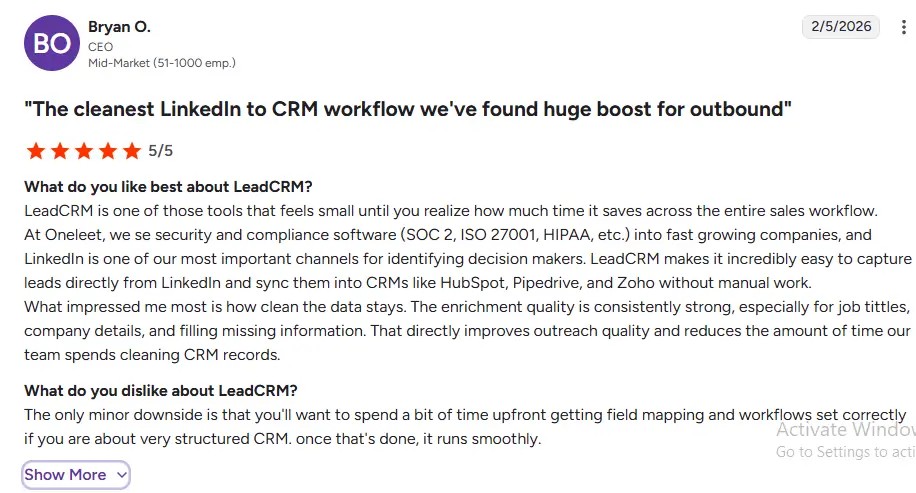
Quick Reference: HubSpot vs Salesforce for Recruitment Agencies
| Feature | HubSpot | Salesforce |
|---|---|---|
| Best for | Agencies under 50 people | Large staffing enterprises 50+ |
| Free plan | Yes | No |
| Dual pipeline (candidate + client) | Native – configurable in hours | Configurable with admin |
| Candidate nurture automation | Native – Marketing Hub included | Requires Marketing Cloud add-on |
| ATS integration | Vincere, Greenhouse, Bullhorn (via connectors) | Bullhorn for Salesforce (native), AppExchange |
| LinkedIn Sales Navigator | Professional+ | Enterprise+ |
| LinkedIn Recruiter integration | Via ATS (not direct CRM) | Via ATS (not direct CRM) |
| Commission tracking | Custom properties (basic) | Opportunity Splits (advanced) |
| AI tools | Breeze – included | Agentforce – +$125/user/mo |
| 3-year TCO (15 people) | ~$55K–$80K | ~$280K–$470K |
| Native data enrichment | Limited | Limited |
| Native intent data | ❌ | ❌ |
| With LeadCRM | ✅ Enriched + Intent-aware | ✅ Enriched + Intent-aware |
Frequently Asked Questions
Can HubSpot replace an ATS for a recruitment agency?
Yes – but not a complex one. Even with 10–15 active relationships, the cost of dropping a ball is high in consulting. A missed follow-up on a warm prospect, a proposal that sat unanswered for two weeks, a warm referral you forgot to action – these are what a simple CRM prevents. HubSpot Free costs nothing and takes 2 hours to set up. The ROI on your first recovered deal pays for years of the Starter subscription.
How do you set up the double funnel in HubSpot?
Navigate to Settings → Objects → Deals. Create two pipelines: “Client Acquisition” with stages reflecting your BD sales process, and “Candidate Placement” with stages reflecting your candidate workflow. Use Contact associations to link candidate records to relevant client deal records when submitting candidates. Build workflow automations to create redeployment tasks at the 10-month mark after placement. Keep the two pipelines entirely separate – never move contacts between pipelines, as this pollutes both datasets.
Does LinkedIn Recruiter integrate with HubSpot or Salesforce?
LinkedIn Recruiter integrates primarily with ATS platforms (Greenhouse, Lever, Bullhorn, Workday) through LinkedIn’s Recruiter System Connect program – not with HubSpot or Salesforce directly. LinkedIn Sales Navigator integrates with both HubSpot and Salesforce for client BD pipeline management. The distinction matters: use Recruiter for candidate sourcing connected to your ATS, and Sales Navigator for client BD connected to your CRM.
What's the most valuable CRM feature for recruitment agency new business?
Timing intelligence. In recruitment BD, reaching a hiring manager at the exact moment they’re evaluating agency relationships – after a leadership change, after a funding round, when headcount is about to expand – converts at dramatically higher rates than cold outreach. This is why intent data and enrichment tools like LeadCRM deliver disproportionate value for recruitment BD: knowing which companies are showing growth signals right now is more valuable than any email template or CRM feature.
How does HubSpot handle commission tracking for recruitment agencies?
HubSpot handles placement fee tracking through custom deal properties – fee type (retainer/contingency), fee percentage, total fee value, consultant attribution. It covers standard placement fee models adequately. For complex split commission structures (multiple consultants on one placement with different split percentages), custom calculated fields and workflow logic can approximate the tracking – but it’s not native split commission management. Agencies with complex commission models may find Salesforce’s Opportunity Splits more appropriate, or use a dedicated recruitment finance tool alongside either CRM.