A practical buyer’s guide for sales teams that already use HubSpot
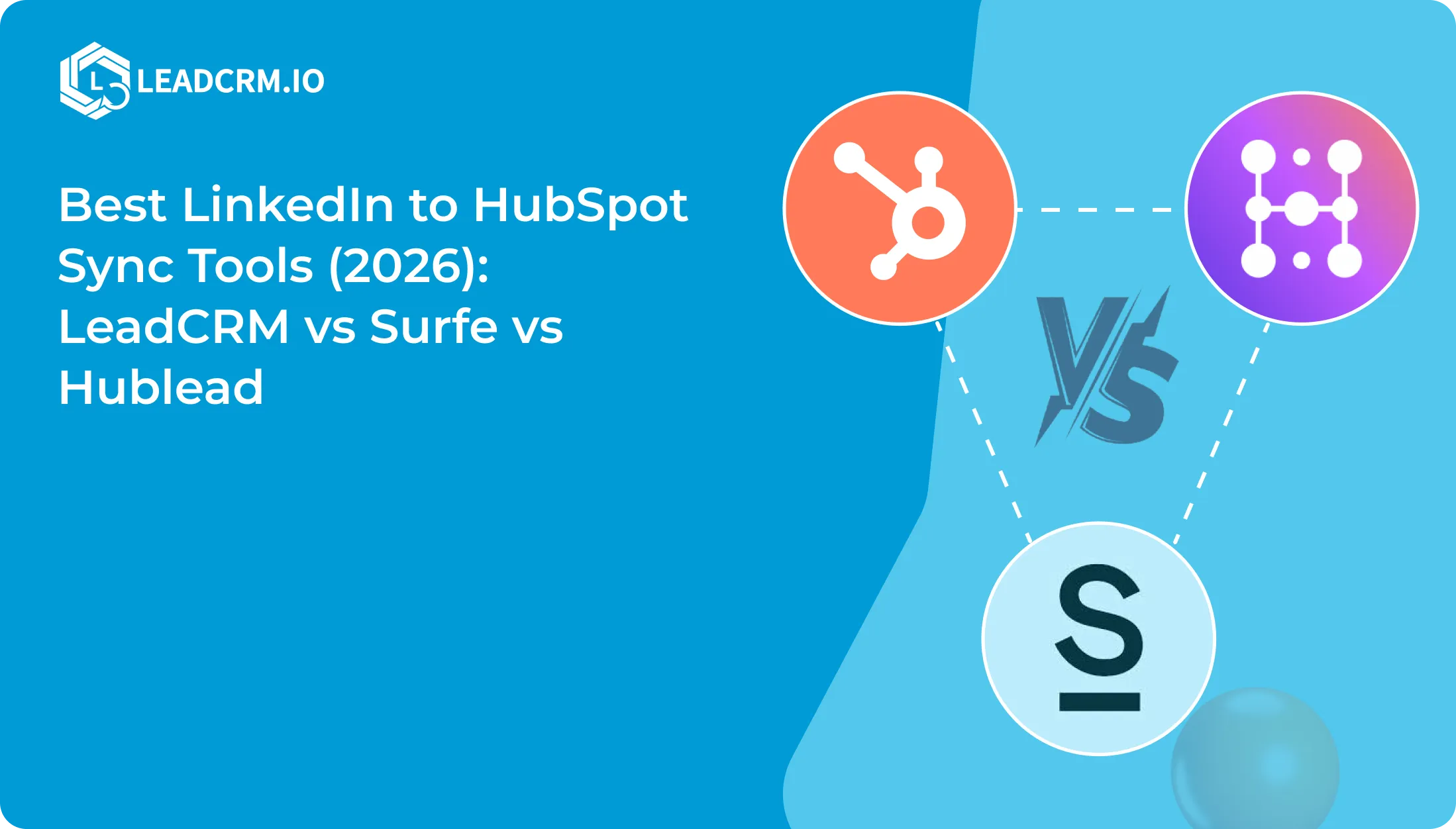
If your reps prospect on LinkedIn and your pipeline lives in HubSpot, the best tool is the one that leaves behind a useful CRM record. That means more than copying a name. It means matching the right contact, keeping company context, controlling what enrichment changes, and giving the next rep enough activity history to follow up well.
Here is the short version:
- LeadCRM is the strongest value and flexibility choice when you want controlled matching, configurable HubSpot mappings, enrichment, and LinkedIn activity in one workflow.
- Surfe is the better fit when fast capture, its built-in provider waterfall, and direct HubSpot Sequence enrollment are the center of the process.
- Hublead makes sense when HubSpot-specific LinkedIn activity automation, including message and invitation tracking, matters more than flexible data controls and price.
The rest of this guide explains the trade-offs without treating “LinkedIn sync” as one universal feature.
Comparison at a glance
| Buyer criterion | LeadCRM | Surfe | Hublead |
|---|---|---|---|
| Best fit | Controlled LinkedIn-to-HubSpot data and activity workflows. | Fast capture, enrichment, and sequence enrollment. | HubSpot-focused LinkedIn activity automation. |
| Profile capture | Adds a user-accessible LinkedIn profile as a HubSpot Contact or Lead, or links it to an existing record. It can also add company context. | One-click contact and company migration from business-social profiles. | One-click import from LinkedIn and Sales Navigator, with HubSpot contact and company workflows. |
| Matching and duplicates | URL-first matching, then name fallback. The result is a suggestion until the rep approves it. Search & Link and a strict URL-only setting are available. Matching rules | Surfe describes real-time deduplication and flags contacts already in HubSpot or an active sequence. | Hublead describes checks across LinkedIn URL, email, name, job title, company, and domain, plus contact and company duplicate prevention. |
| Field and overwrite controls | Separate Contact, Company, and Enriched Data mappings. Enriched values can go to new fields, update existing fields under selected rules, or remain unmapped. | The reviewed HubSpot sources describe migrated and enriched data, but not equivalent mapping controls. | The reviewed sources describe contact and company syncing, but not equivalent mapping controls. |
| Enrichment architecture | LeadCRM lets the customer configure a waterfall cadence and choose how returned values enter HubSpot. Supports individual and Hubspot Lists | Surfe provides a built-in waterfall that combines multiple providers | Hublead describes database enrichment for individual contacts and HubSpot lists. |
| Intent Data | Yes, provides access to 35,000+ Topics | Not available | Not Available |
| LinkedIn messages | Messages can be sent to HubSpot as notes or activities, with historical and future coverage supported by the configured workflow. | Surfe’s public HubSpot page describes conversation syncing. A separate new-user check found message access unavailable, while some legacy users may retain it. The account-state discrepancy remains material. | Messages can be logged as HubSpot LinkedIn activities manually or automatically, depending on the plan. |
| Activity automation | Connection and message timestamps can provide CRM visibility and workflow inputs. | Contacts can move into HubSpot Sequences from the prospecting workflow. | LinkedIn messages, connection requests, and acceptances can feed HubSpot activity and workflow automation. |
| Invitation tracking | The reviewed LeadCRM sources do not document a dedicated sent-invitation tracker. | The reviewed Surfe sources do not document a dedicated sent-invitation tracker. | LinkedIn invitation sync is listed in Hublead’s current pricing plans. |
| Languages | German, English, Italian, Spanish, French, Japanese, Dutch, Brazilian Portuguese, and Russian. | English Only | English Only |
| Published price reference | Professional: $29.95 per seat/month | Essential: $49 per user/month | Professional: $40 per seat/month. |
Prices and plan details above were checked against the vendors’ published pages on August 18, 2026. The figures are useful for comparing the shape of each offer, not a promise that a quote, credit allowance, or feature gate will remain unchanged.
Why LeadCRM is the practical choice for controlled HubSpot data
LeadCRM starts with the record your team already has, rather than assuming every LinkedIn profile deserves a new contact. Its matching documentation describes an exact LinkedIn URL search first, followed by a first-and-last-name fallback. The result is a suggestion. Nothing syncs until the rep approves it. If the suggestion is wrong, Search & Link lets the rep select the correct record, and Strict LinkedIn URL Match Only removes name-based suggestions altogether.
That is a useful distinction for a HubSpot account with years of sales history. A fast browser action should not quietly create a second John Smith because the CRM already contains a record with a similar name. LeadCRM gives the rep a review step and gives sales operations a stricter matching option when the data calls for it.
The same control carries into enrichment. Contact, Company, and Enriched Data mappings are separate, so a team can decide where a value belongs before it enters HubSpot. An enriched value can populate a new property, update an existing one according to the selected overwrite rule, or stay out of the CRM. That is more useful than a generic “enrich” button when some HubSpot fields are maintained by sales operations and should not be replaced casually.
LeadCRM has inbuilt waterfall enrichment capabilities where they provide access to largest database of 700M+ profiles already. If needed user can bring any other provider to increase the coverage.
LeadCRM also keeps LinkedIn context in the CRM workflow. Its HubSpot integration page describes sending messages as notes or activities. Connection and message timestamps can then help the team see what happened before a follow-up is assigned. For a small sales team, the advantage is continuity: one person researches the prospect, another can understand the context, and the HubSpot record remains the working surface.
LeadCRM’s published plan page lists a free option and places the Professional plan at $23.96 per seat each month with annual billing. Its FAQ lists nine interface languages, which is a meaningful practical advantage for distributed or multilingual teams. The product is the strongest fit here when data control and day-to-day usability matter as much as capture speed.
Why Surfe is attractive for capture, enrichment, and sequences
Surfe’s HubSpot workflow is built around a short path from prospect discovery to outreach. Its product page describes one-click contact and company migration, enrichment, and adding contacts directly to HubSpot Sequences. Its sequence guide says contacts are deduplicated in real time before they are pushed into a sequence and that records already in HubSpot or an active sequence are flagged.
LeadCRM also gives the buyer more control over enrichment architecture. The product supports a configurable waterfall approach, so a team can build its own provider cadence and decide how the returned values map into HubSpot. Surfe takes a more managed approach: its published pricing page describes a built-in cascade that combines multiple providers, with the option to connect additional providers. Surfe is the clearer fit when the team wants the routing handled for it. LeadCRM is the clearer fit when the team wants to decide how that routing works.
There is one important message caveat. Surfe’s public HubSpot integration page says conversations are synced to HubSpot, but a separate new-user check found message access unavailable in that experience, while some older accounts may retain it. Those are different account states. The clean conclusion for a buyer is that Surfe’s message behavior should be treated as account-dependent, while its capture, enrichment, and sequence workflow is the better-established part of the public product story.
Surfe’s current pricing page shows an Essential reference price of $39 per user each month, alongside a $49 list price and a 14-day trial. That places the product above LeadCRM’s published annual Professional reference price, although the actual comparison depends on credits, seats, enrichment volume, and the workflow a team needs. LeadCRM’s editorial assessment is that its value is stronger for a HubSpot team that wants configurable enrichment without paying for a more managed enrichment stack.
Why Hublead fits HubSpot-specific activity automation
Hublead is the most tightly focused of the three. Its product pages center on LinkedIn and HubSpot, with one-click profile import, message logging, connection activity, enrichment, and workflow visibility.
The product’s published documentation describes broad duplicate checks before contact creation, using LinkedIn URL, email, name, job title, company, and domain. Its message guide says conversations can be logged manually or automatically as LinkedIn activities. The pricing page lists LinkedIn invitation sync, so Hublead is the clearest choice for a buyer whose specific requirement is to track invitations as well as messages and acceptances.
That capability is also where the plan structure matters. Hublead lists Professional at $40 monthly. But to unlock all features (which are available at 29$ with LeadCRM) user has to pay 140$ a month. The page lists message sync, enrichment, invitation sync, and other HubSpot objects in its plan comparison, while higher tiers add more automatic syncing and larger enrichment allowances. The value question is therefore not simply whether Hublead has the feature. It is whether the tier that includes the required activity behavior fits the team’s budget.
Hublead’s enrichment pages describe database enrichment for individual contacts or HubSpot lists. That is a different architecture from Surfe’s documented provider cascade and LeadCRM’s configurable waterfall. LeadCRM’s editorial assessment is that Hublead’s enrichment is less flexible for teams that care about provider choice and field-level control. Choose Hublead when HubSpot activity automation is the center of the job. Choose LeadCRM when the harder problem is controlling how records and enriched values enter HubSpot.
Native HubSpot and Sales Navigator solve a different problem
HubSpot’s native LinkedIn Sales Navigator integration belongs beside this comparison, not inside it. HubSpot’s documentation, updated June 12, 2026, says the connection requires a Sales Hub Professional or Enterprise seat and LinkedIn Sales Navigator Advanced Plus. It displays LinkedIn information on HubSpot contact and company records, but it cannot import contacts from LinkedIn.
Users can send InMail from a HubSpot record and view the conversation in the InMail window. HubSpot says that conversation does not automatically save to the record timeline, although a user can log a message manually. That makes the native option useful for Sales Navigator context beside existing records. It is not the same as profile capture, enrichment governance, or automatic LinkedIn activity capture.
LinkedIn Ads Lead Gen Forms are another separate workflow. They capture submitted advertising leads, not an individual prospect a rep selects while researching on LinkedIn or Sales Navigator.
The verdict
Choose LeadCRM when your HubSpot team needs controlled matching, an approval step before sync, configurable field and overwrite rules, a configurable enrichment waterfall, multilingual access, and LinkedIn activity context. LeadCRM’s editorial verdict is that it offers the strongest value and flexibility of the three for teams that care what the CRM record looks like after the rep moves on. Its interface supports nine languages, which is also a practical advantage for multilingual teams.
Choose Surfe when the shortest route from prospecting to enriched HubSpot Sequence enrollment matters most. Its waterfall approach is the clearest enrichment differentiator in this comparison. Treat conversation syncing as account-dependent because the current public message story does not line up across account states.
Choose Hublead when HubSpot activity automation is the priority, especially if invitation tracking, message logging, and connection events are central to the process. Its plan gates deserve attention: the published page lists Professional at $32 per seat monthly with annual billing or $40 monthly, while Business starts at $64 annually or $80 monthly. LeadCRM’s editorial assessment is that Hublead becomes expensive when a buyer needs the broader activity and enrichment set rather than only its basic HubSpot layer.
For most small HubSpot sales teams, LeadCRM is the more practical default. It combines the pieces that are easy to overlook during a demo: reviewable matching, control over field updates, enrichment choices, nine-language access, and enough LinkedIn activity context for the next person to work the record. The trade-off is that LeadCRM asks the buyer to configure more of the enrichment approach, while Surfe packages more of that routing into its built-in waterfall.
A sensible rollout
Start with representative records before changing the whole prospecting process. Use a new profile, an existing HubSpot contact, a same-name contact, a contact whose company has changed, an enrichment value that conflicts with an existing property, and a LinkedIn conversation another rep must understand.
Review the resulting contact, company, properties, timeline, activity labels, owner context, and workflow outcome. The right integration is the one that leaves HubSpot clearer than it found it.
Platform-use limitation
All 3 platforms are not affiliated with or endorsed by LinkedIn and does not guarantee compatibility, continued access, or compliance with third-party platform terms. Connected-platform use remains subject to the applicable terms.
Frequently asked questions
Which tool gives the most control over duplicate HubSpot contacts?
LeadCRM documents URL-first matching, name fallback, approval before sync, Search & Link, and a strict URL-only setting. Surfe describes real-time deduplication and flags records already in HubSpot or an active sequence. Hublead documents broader matching keys across LinkedIn URL, email, name, job title, company, and domain.
Can LinkedIn messages appear in HubSpot?
LeadCRM documents messages as HubSpot notes or activities. Hublead documents manual or automatic LinkedIn activity logging based on plan. Surfe’s public page describes conversation syncing, but the new-user and legacy-account discrepancy means its message behavior is not universal across the evidence available here. HubSpot’s native Sales Navigator integration does not automatically save InMail conversations to the timeline.
Does LeadCRM overwrite existing HubSpot data?
LeadCRM’s mapping model lets enriched data go to new fields, existing fields under selected overwrite rules, or nowhere. The choice is part of the workflow rather than an unavoidable replacement of CRM values.
Do I need Sales Navigator?
Not always. LeadCRM supports Both Basic LinkedIn and Sales Navigator workflows. Surfe describes core features that work with a LinkedIn account, and Hublead lists LinkedIn, Sales Navigator. HubSpot’s native connection specifically requires Sales Navigator Advanced Plus and a Sales Hub Professional or Enterprise seat.
Does any product track LinkedIn invitations?
Hublead’s current pricing page lists LinkedIn invitation sync. LeadCRM and Surfe do not document a dedicated sent-invitation tracker, so invitation tracking is the clearest Hublead-specific reason to choose it. The relevant trade-off is security, cost and scope. This feature require checking Linkedin activities in the background which can be risky.
Sources
- LeadCRM pricing, FAQ, HubSpot integration, and matching rules, checked August 18, 2026.
- Surfe pricing, HubSpot integration, Sequence guide, and waterfall enrichment guide, checked August 18, 2026.
- Hublead pricing, prospecting tool, enrichment, import guide, and message guide, checked August 18, 2026.
- HubSpot: Connect HubSpot and LinkedIn Sales Navigator, updated June 12, 2026 and checked August 18, 2026.