If you run a managed service provider or IT services business, your sales process looks nothing like a SaaS startup or a marketing agency. Your deals are long – sometimes 6 to 18 months from first conversation to signed contract. Your buyers are skeptical by nature; they’ve been burned by IT vendors before and they do thorough due diligence before committing. Your recurring revenue model means renewals and expansions are just as important as new logos. And almost all of your serious pipeline starts on LinkedIn, where IT decision-makers research vendors, read peer reviews, and quietly evaluate options before they ever raise their hand.
There’s also a requirement that most CRM comparison guides completely skip over – and it’s the one that makes or breaks the decision for MSPs before any other feature gets evaluated: PSA integration.
Your ConnectWise Manage, Datto Autotask, or HaloPSA is the operational heartbeat of your business. If your CRM doesn’t talk to your PSA, you’ve got two disconnected systems – your sales team works in one, your service delivery team works in another, and the client data that should flow between them has to be manually maintained in both places. That’s not a workflow inefficiency. That’s a client retention risk.
This guide covers everything: PSA integrations, pipeline management, LinkedIn prospecting, pricing, AI features, and the intent data layer that determines whether your outreach reaches prospects before your competitors do.
Bottom line: HubSpot wins for MSPs and IT services companies under 50 people. It handles long-cycle pipeline management, has workable PSA integrations through tools like Zomentum and Syncari, costs a fraction of Salesforce, and requires no dedicated admin. Salesforce has deeper PSA integration options for large, multi-location IT service firms – but at a cost structure that most MSPs under 50 people can’t justify. Whichever you choose, the biggest gap is the intent data layer that tells you who’s evaluating IT services right now, before your competitors find out.
Why MSPs Have Unique CRM Challenges
Managed service providers operate one of the most relationship-intensive sales models in B2B. You’re not selling a product someone can trial for free – you’re asking a business owner to hand over their entire IT infrastructure to your team on a multi-year contract. Trust is the product. That trust is built slowly, through LinkedIn content, peer referrals, industry event presence, and consistent follow-up that doesn’t feel like pressure.
Your CRM needs to support that slow-burn relationship model – not force every contact into a fast-moving funnel designed for 14-day SaaS trials.
Three specific complexities define the MSP CRM challenge:
Two revenue pipelines running simultaneously. New business (landing new clients) and contract management (renewing, expanding, and protecting existing MRR). Most CRM setups for MSPs fail because they’re configured only for new business – and the renewal pipeline, often 70% of total revenue, gets managed in a spreadsheet or inside the PSA with no visibility into relationship health or renewal risk.
A PSA tool that’s non-negotiable. ConnectWise, Autotask, HaloPSA, Syncro – these aren’t tools MSPs might use. They’re tools MSPs cannot operate without. Every ticket, every contract, every billable hour, every SLA metric lives there. If your CRM doesn’t sync with your PSA, your sales team has incomplete client context and your service team has no visibility into sales pipeline. That disconnect is where client experience breaks down.
Buyers who research before they talk. IT managers and business owners evaluating MSPs read comparison content, check G2 reviews, assess LinkedIn thought leadership, and evaluate your case studies – all before making contact. By the time they reach out, they’ve already shortlisted two or three providers. If you’re not visible during that research phase, and if you can’t identify companies in that research phase before they contact you, you’re always reacting rather than leading.
What MSP Sales Teams Say About Both Platforms
Real experience from IT service teams cuts through vendor marketing faster than any feature matrix.
“We tried Salesforce when we were 22 people. Spent $40K on implementation. Three of our five account managers refused to update it because it took too long on mobile after client visits. Switched to HubSpot and had full adoption within three weeks.”
“HubSpot’s pipeline view is fast enough that our techs, who also do some account management, actually use it. Salesforce felt like it was built for people whose full-time job is using CRM. That’s not how MSPs work.”
“LinkedIn is everything for our new business. Before a prospect calls us, they’ve already looked at our CEO’s profile, read two of our case studies, and checked our Google reviews. We needed our CRM to reflect that journey, not just the last 30 days of email exchanges.”
“The PSA integration was our biggest concern when we evaluated HubSpot. We’re on ConnectWise and needed client data to flow between systems. We ended up using Zomentum as the bridge and it solved 90% of what we needed without a custom build.”
“The reason we stayed on HubSpot past 30 people is the renewal pipeline. We built a second pipeline for contract renewals and it took one afternoon. Our renewal rate went up 18% in the first year because we stopped letting contracts sneak up on us.”
PSA Integration: The Make-or-Break Factor for MSPs
This is the section most CRM comparison guides skip entirely – and it’s the first question any MSP sales lead should be asking before evaluating any other feature.
Why PSA integration matters so fundamentally: Your PSA (Professional Services Automation tool) manages your entire service delivery operation – client contracts, tickets, SLAs, time tracking, billing, and recurring revenue. Your CRM manages your sales pipeline and client relationships. When these two systems don’t talk, you get a dangerous version of the “two source of truth” problem: your service team doesn’t know which clients are renewal risks until it’s too late, and your sales team doesn’t know the full service history of an account when they’re having an expansion conversation.
Here’s how HubSpot and Salesforce compare on the PSA integrations that MSPs actually use:
HubSpot PSA Integrations
ConnectWise Manage: HubSpot does not have a native, first-party ConnectWise integration. The most widely used path is Zomentum – a sales acceleration platform built specifically for MSPs that sits between HubSpot and ConnectWise, syncing client data, contract details, and opportunity data bidirectionally. It’s purpose-built for this use case and is used by hundreds of MSPs globally. Alternatively, Syncari handles more complex data orchestration between HubSpot and ConnectWise if you need custom field mapping and multi-directional sync logic.
Datto Autotask: Similar to ConnectWise – no native HubSpot integration. Zomentum also supports Autotask, making it the most practical bridge for HubSpot + Autotask MSPs. For simpler use cases, Zapier and Make (formerly Integromat) can handle basic record syncing, though they lack the MSP-specific logic of a purpose-built tool like Zomentum.
HaloPSA: HaloPSA has a growing integration ecosystem and community-built HubSpot connectors. The sync covers contact and company data reasonably well, though it requires setup time and testing to confirm field mapping works correctly for your specific workflow.
Syncro / NinjaRMM (RMM-adjacent): Limited native integrations. Most MSPs using these tools rely on Zapier automation or API-based sync for HubSpot connections.
The honest HubSpot PSA assessment: The integrations are workable, particularly with Zomentum as a bridge for ConnectWise and Autotask users. They’re not seamless out of the box – there’s setup involved. But for most MSPs under 50 people, the Zomentum + HubSpot combination is a well-documented, actively maintained path that hundreds of MSPs use in production.
Salesforce PSA Integrations
ConnectWise Manage: ConnectWise has invested in Salesforce integration more heavily than HubSpot. The ConnectWise Marketplace includes Salesforce connector apps, and several ISVs (independent software vendors) offer pre-built ConnectWise-Salesforce sync packages. The integration depth is generally higher than what’s available for HubSpot – bidirectional sync of contracts, tickets, devices, and billing data is achievable with the right implementation partner.
Datto Autotask: Autotask (now part of Kaseya) has enterprise-grade Salesforce connectors and documented API integration paths. For large MSPs running multi-location operations on Autotask, Salesforce’s API flexibility allows deeper custom integrations than HubSpot’s ecosystem currently supports.
HaloPSA: HaloPSA has Salesforce integration built into its API layer, with better coverage than most PSA-to-CRM connections in the market.
The honest Salesforce PSA assessment: Salesforce wins on integration depth and flexibility with PSA tools – particularly for ConnectWise and Autotask. But that depth comes at a cost. Most Salesforce-PSA integrations require an implementation partner, custom API configuration, and ongoing maintenance by a Salesforce admin. For a 20-person MSP, that overhead frequently exceeds the value of the deeper integration.
PSA Integration Decision Framework for MSPs
| MSP Profile | CRM Choice | PSA Integration Path |
|---|---|---|
| Under 20 people, ConnectWise or Autotask | HubSpot | Zomentum bridge – documented, widely used |
| Under 20 people, HaloPSA or Syncro | HubSpot | Community connector or Zapier/Make automation |
| 20–50 people, ConnectWise, need deep sync | HubSpot + Zomentum or evaluate Salesforce | Depends on sync depth required |
| 50+ people, multi-location, enterprise clients | Salesforce | Custom API or ISV connector – budget accordingly |
| Any size, RMM-primary workflow | HubSpot | API or Zapier for basic sync |
Bottom line on PSA: HubSpot is workable for MSPs with the right integration layer – Zomentum in particular is purpose-built for this and widely adopted. Salesforce has deeper native integration options but requires enterprise-level investment to access them. For most MSPs under 50 people, the Zomentum + HubSpot path delivers 85–90% of what you need at a fraction of the total cost.
Pricing: The Real Numbers for MSP Teams
HubSpot for MSPs
Free ($0): Full CRM, deal pipeline, email tracking, meeting scheduling, live chat, up to 5 users. For a 3–5 person IT team getting organized, this covers months of operation at zero cost.
Starter ($15–$20/user/month): Basic automation, email sequences, removes HubSpot branding. For a boutique MSP under 10 people, a realistic total of $75–$200/month.
Professional (from $800/month, 5 seats included): Full pipeline automation, custom reporting, LinkedIn Sales Navigator integration, sequences, and the full Breeze AI suite. For most MSPs in the 10–40 person range, this tier covers everything – dual pipelines, renewal tracking, marketing automation for their own campaigns, and AI-assisted prospecting.
Enterprise (from $3,600/month): For larger MSPs with complex multi-service reporting and advanced attribution. Most MSPs under 50 people won’t need this tier.
Salesforce for MSPs
Enterprise ($165/user/month): The first tier with the customization depth an MSP would need – custom objects, Apex workflows, advanced API access for PSA integrations. A 20-person MSP team: $39,600/year in licenses alone.
Plus implementation ($15,000–$50,000), a dedicated admin ($80,000–$120,000/year), and marketing automation ($15,000–$48,000/year for Pardot/MCAE) – and you’re looking at a first-year investment of $150,000–$220,000 for a platform that a 20-person MSP is paying $50,000–$75,000 total over three years on HubSpot.
3-Year Cost Comparison: 20-Person MSP Team
| Cost Component | HubSpot Professional | Salesforce Enterprise |
|---|---|---|
| License (3 years) | ~$36,000–$45,000 | ~$118,800 |
| Implementation | ~$5,000–$10,000 | ~$20,000–$50,000 |
| PSA integration tool | ~$3,000–$6,000/yr (Zomentum) | ~$10,000–$30,000/yr (ISV + admin) |
| Admin cost | $0 | ~$80,000–$120,000/yr |
| Marketing automation | Included | +$15,000–$48,000/yr |
| 3-Year TCO | ~$65,000–$95,000 | ~$320,000–$530,000 |
Feature Comparison: What MSPs Actually Need
Long-Cycle Pipeline Management
MSP deals rarely close in 30 days. A realistic pipeline for IT services looks like: Identified → Relationship Building → Qualified → Technical Assessment → Proposal Sent → Procurement/Legal → Closed. Each stage can last weeks or months. The CRM needs to track time in stage, surface dormant deals, and maintain relationship context across 6–18 month evaluation cycles – without requiring manual upkeep that busy technical staff won’t sustain.
HubSpot handles this naturally. The visual pipeline board shows every deal’s stage, last activity date, and days since last contact. Workflow automations create tasks when a deal stagnates – if nothing has happened on a deal in 14 days, the rep gets a reminder automatically. Email sequences keep relationships warm during long evaluation periods without manual follow-up effort.
For MSP account managers who split their time between client delivery and business development, this automation is the difference between a pipeline that manages itself and one that falls apart when the team gets busy on a big client project.
Salesforce can do all of this with configuration – but the dormant deal alerts, automated task creation, and sequence-based nurture during long evaluation periods require admin setup time that HubSpot provides out of the box. For an MSP without a dedicated Salesforce admin, these are capabilities that never get built.
Contract Renewal Pipeline
This is where most MSP CRM setups fail – and where real revenue protection happens.
Your renewal pipeline is arguably more important than your new business pipeline in terms of total revenue impact. A 10% improvement in renewal rate at a 20-person MSP billing $3M/year is $300,000 in protected revenue. That’s not a reporting exercise. That’s a business outcome.
In HubSpot, building a dedicated contract renewal pipeline takes a few hours. Custom deal properties store contract value, renewal date, contract tier (Bronze/Silver/Gold/Platinum support levels), primary client contact, and last NPS score. Workflow automations alert the account manager 90, 60, and 30 days before renewal. A dashboard shows total MRR at risk in the next 90 days, renewal pipeline by account manager, and average renewal rate by service tier.
With this setup, the service delivery lead who gets the 90-day alert has time to proactively resolve any open service issues, strengthen the relationship, and frame the renewal conversation as a partnership review rather than a pricing negotiation. That difference in timing changes renewal outcomes meaningfully.
Salesforce builds an equivalent renewal pipeline with more customization options – better for large enterprises with complex multi-location contracts. For MSPs under 50 people, HubSpot’s version is sufficient and significantly faster to implement and maintain.
LinkedIn Sales Navigator Integration
LinkedIn is where MSP new business starts. IT managers and business owners research vendors, read thought leadership, evaluate case studies, and check for mutual connections – all before making contact. By the time they reach out, they’ve done significant research. Sales Navigator helps your team track these signals, monitor job changes at target accounts, and build warm relationships before the formal evaluation starts.
Both HubSpot and Salesforce integrate with LinkedIn Sales Navigator at their respective mid-to-upper tiers. The embedded LinkedIn panel inside contact records lets reps view prospect profiles, shared connections, and recent activity, and send InMails without leaving the CRM.
The shared limitation neither platform solves: LinkedIn activity doesn’t automatically log to the contact timeline, and CRM records aren’t automatically enriched from LinkedIn profile data. A prospect who’s been engaging with your CEO’s cybersecurity content for two months – a real warm signal for an MSP – is invisible in your CRM unless your rep manually notes it.
For long-cycle MSP relationships where LinkedIn engagement is often the only visible buyer activity for months, this gap is significant. It’s addressable, but not through the CRM alone.
G2 Review
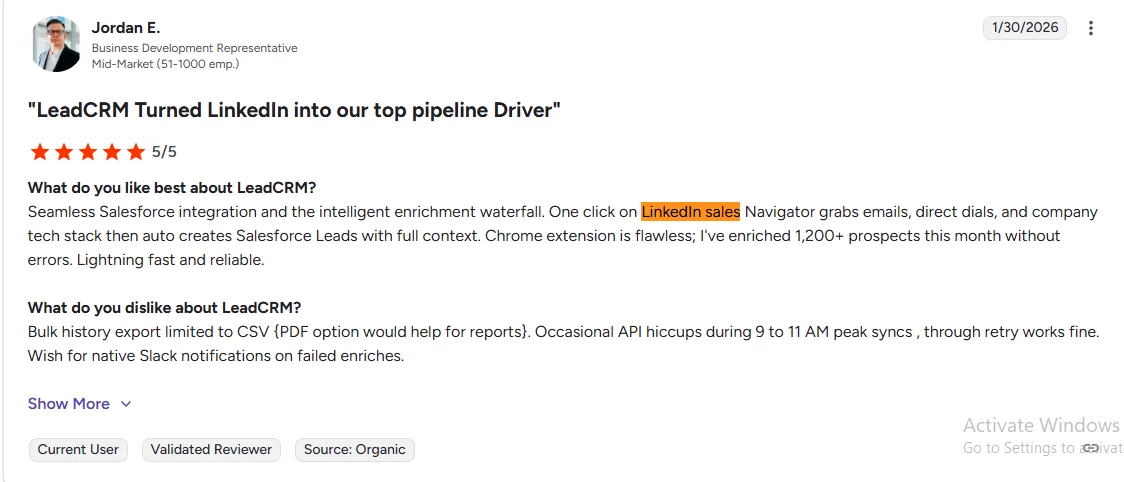
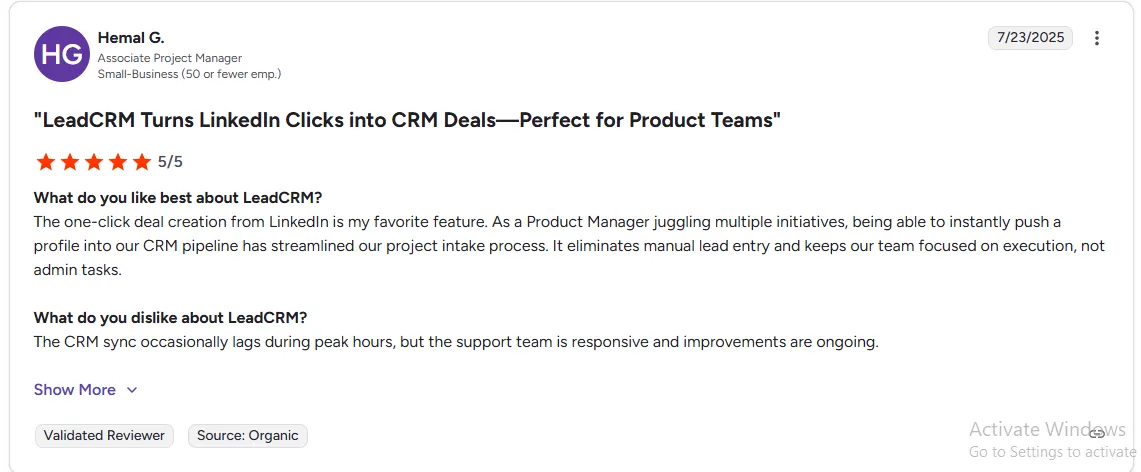
💬 “One of the best LinkedIn-to-CRM workflows we’ve used for enterprise sales — it delivers immediate value for teams doing serious prospecting.” — Verified G2 Review
Reporting for MSP Revenue Operations
| Report | HubSpot | Salesforce |
|---|---|---|
| Pipeline by deal stage + time in stage | Native, visual | Configurable |
| MRR at risk (renewal pipeline) | Custom pipeline + dashboard | Configurable |
| New business vs. renewal revenue split | Dual pipeline + reporting | Configurable |
| Lead source attribution | Multi-touch native (Pro+) | Advanced with Tableau |
| Contract value + renewal forecast | Custom deal properties | More powerful at Enterprise |
| PSA-linked ticket volume per client | Via Zomentum/integration | Via ISV connector |
| Rep activity tracking | Automatic logging | Automatic logging |
For MSPs under 40 people running new business + renewal reporting, HubSpot Professional covers every operational reporting need without requiring SQL, a Tableau license, or an admin to build custom views.
AI Features: What Matters for MSP Sales Teams in 2026
HubSpot Breeze for MSPs
Breeze Copilot is immediately useful for MSP account managers who split time between client delivery and business development. Before a new business call, Breeze summarizes everything known about the account – company profile, recent news, last interaction, open proposal status – in under 30 seconds. Before a renewal conversation, it pulls together the last 90 days of service interactions, email history, and NPS data. After every call, it drafts the follow-up email and creates the next task.
For MSP teams where the same person managing a client’s IT infrastructure is also supposed to be running the renewal conversation, this time compression is meaningful.
Breeze Prospecting Agent researches target accounts – pulling in company news, LinkedIn signals, technology stack data, and company growth signals – and drafts personalized outreach for each. An MSP targeting 50 mid-market manufacturing companies in their territory can have personalized outreach drafted and ready to review in under an hour, instead of a day of manual research.
All Breeze AI features are included in existing HubSpot Professional plans – no per-seat add-on, no upgrade required.
Salesforce Agentforce for MSPs
Agentforce’s autonomous agents are genuinely powerful – managing pipeline stages, routing leads, generating complex service reports – but require Enterprise tier ($165/user/month) plus the $125/user/month Agentforce add-on. For a 20-person MSP team, that’s approximately $69,600/year for the AI layer alone, before base license costs.
The capability is real. The price makes it inaccessible for MSPs under $5M–$8M in annual revenue without a genuinely compelling ROI model. Most MSPs under 50 people should treat Agentforce as a future-state consideration, not a current evaluation criterion.
AI verdict for MSPs: HubSpot Breeze delivers practical, day-one-usable AI value at zero incremental cost. It wins decisively for MSPs under 50 people.
The Intent Data Gap That Kills MSP Pipeline Before It Starts
Here is the MSP sales reality that most CRM guides don’t address: the best time to engage a prospect is before they post an RFP.
By the time a company publishes a formal IT services tender, they’ve done their research, they’ve shortlisted 2–3 providers, and your outreach is playing catch-up. The companies that win MSP deals consistently are the ones who started the relationship 3–6 months before the formal evaluation – when the prospect was in research mode and hadn’t committed to an RFP process yet.
Companies evaluating managed IT services leave visible research traces before they ever contact a vendor. They read “how to choose an MSP” content. They visit comparison sites. They check reviews on Clutch and G2. They engage with cybersecurity content on LinkedIn. They research “managed IT support pricing” and “co-managed IT services.” Those are intent signals – and they’re happening right now, at companies in your target market, without you knowing about it.
Neither HubSpot nor Salesforce captures those signals natively. Both platforms are excellent at managing the pipeline you already know about. Neither tells you who’s warming up in your target territory before they raise their hand.
The B2B database decay problem makes this worse. The average business contact database loses 25–30% accuracy per year. Business owners change roles, IT managers get promoted, company email formats change after mergers. An MSP with a 500-company target list that hasn’t been enriched in 18 months is working from data where 150+ companies have outdated primary contacts. You’re calling the wrong people at a fraction of your prospects without knowing it.
How LeadCRM.io Fills the Gap for MSP Teams
LeadCRM.io connects natively to both HubSpot and Salesforce and solves the two data problems that limit MSP pipeline performance regardless of platform choice.
Automated Contact and Company Enrichment:
Every contact in your HubSpot or Salesforce gets automatically enriched – verified email addresses, direct phone numbers, updated job titles, company size, industry, and technology stack. For MSPs, technology stack intelligence is directly actionable: knowing which companies in your territory are running aging Windows Server infrastructure, using a competitor MSP’s RMM tool, or recently adopting cloud platforms you support changes how you position every outreach message.
When an IT manager or business owner at a target company changes roles, LeadCRM detects the change and flags it as a priority outreach moment. New IT decision-makers at target accounts – particularly new IT managers or CTOs – are among the strongest MSP buying triggers. They almost universally evaluate their managed services setup within the first 60–90 days.
Intent Signal Surfacing:
LeadCRM monitors which companies in your target market are actively researching managed IT services, cybersecurity solutions, cloud migration, and IT support – and surfaces those accounts inside your HubSpot or Salesforce pipeline, ranked by intent strength and timing.
For an MSP with 200 companies in the target account list, intent scoring means your sales lead calls the right 15 accounts this week – not because they guessed, but because those companies are demonstrably in-market right now. Shorter average sales cycles. Higher conversion rates on first outreach. Less time spent on accounts that won’t buy for another 12 months.
👉 See how LeadCRM works for MSP pipeline development – connects to HubSpot and Salesforce →
HubSpot vs Salesforce by MSP Size and Complexity
| MSP Profile | Recommended CRM | PSA Integration Path | Key Reason |
|---|---|---|---|
| 1–10 people, any PSA | HubSpot Free / Starter | Zapier or Zomentum | Zero overhead, get organized fast |
| 10–25 people, ConnectWise | HubSpot Professional | Zomentum | Widely adopted, purpose-built, cost-effective |
| 10–25 people, Autotask | HubSpot Professional | Zomentum | Same bridge, documented path |
| 25–50 people, HaloPSA | HubSpot Professional | Native API or Syncari | Growing integration ecosystem |
| 50+ people, multi-location | Salesforce Enterprise | ISV connector or custom API | Complexity justifies the investment |
| Enterprise client requirements | Salesforce Enterprise | Custom build with implementation partner | Client integration mandates may drive choice |
Common Mistakes MSPs Make When Choosing a CRM
Mistake 1: Evaluating CRM without evaluating PSA integration first.
If your CRM and PSA can’t share data, you’ve bought two disconnected systems that create more admin work, not less. Confirm the integration path exists, understand what it syncs and what it doesn’t, and factor the integration tool cost (e.g., Zomentum) into your total cost comparison before signing anything.
Mistake 2: Configuring only a new business pipeline.
The renewal pipeline is where MSP revenue is protected. Set up both pipelines on day one. The account manager who has a 90-day renewal alert has a fundamentally different client conversation than one who only realizes the contract is up for renewal when the client mentions it.
Mistake 3: Ignoring database hygiene before launch.
Importing a 500-company target list without enriching it first means you’re starting with 25–30% outdated contacts. Run enrichment before you build any sequences or outreach campaigns, not after 6 months of low response rates force you to investigate why.
Mistake 4: Treating LinkedIn activity as outside the CRM.
Your prospects are on LinkedIn researching you before they ever contact you. If that activity isn’t influencing your CRM priorities – which it won’t unless you have an enrichment and intent data layer – you’re ignoring the most important signal your prospects are sending.
Mistake 5: Choosing Salesforce because it integrates with more things.
Yes, Salesforce’s AppExchange has more integrations. But most MSPs under 50 people use ConnectWise, Autotask, or HaloPSA – all of which have workable HubSpot integration paths. Don’t pay for enterprise integration flexibility you don’t need.
The Verdict for IT Services & MSPs
For managed service providers and IT services companies under 50 people, HubSpot wins on every dimension that matters for your current stage:
- PSA integration: workable through Zomentum for ConnectWise and Autotask – purpose-built for MSPs
- Long-cycle pipeline management: visual, automated, no admin required
- Contract renewal pipeline: buildable in one day, directly impacts revenue retention
- LinkedIn Sales Navigator integration: included at Professional tier
- Breeze AI tools: included in existing plan – no $125/user/month add-on
- 3-year TCO (20 people): $65K–$95K vs $320K–$530K for Salesforce
- No dedicated admin required
Salesforce is the right choice when:
- You’re a 50+ person MSP with multiple locations and complex enterprise client requirements
- You need deep, custom PSA integration with ConnectWise or Autotask that goes beyond what Zomentum provides
- You have a dedicated Salesforce admin and RevOps function
- Your enterprise clients require Salesforce integration for shared data access
Either way, the CRM is the foundation. LeadCRM is the intelligence layer – enriching your contact database, surfacing intent signals from your target market, and ensuring your team always knows who to call, when to call them, and what to say when they get there.
Quick Reference: HubSpot vs Salesforce for IT Services & MSPs
| HubSpot | Salesforce | |
|---|---|---|
| Best for | MSPs under 50 people | Large MSPs 50+ |
| Free plan | Yes | No |
| Setup time | Days | Weeks to months |
| ConnectWise integration | Via Zomentum / Syncari | Native ISV connector (deeper) |
| Autotask integration | Via Zomentum | Native ISV connector (deeper) |
| HaloPSA integration | Community connector / API | Native API |
| Renewal pipeline | Native dual pipeline | Configurable with admin |
| LinkedIn Sales Navigator | Professional+ plan | Enterprise+ plan |
| AI tools | Breeze – included | Agentforce – +$125/user/mo |
| 3-year TCO (20 people) | ~$65K–$95K | ~$320K–$530K |
| PSA integration cost | ~$3K–$6K/yr (Zomentum) | ~$10K–$30K/yr (ISV + admin) |
| Intent data | ❌ native | ❌ native |
| With LeadCRM | ✅ Enriched + Intent-aware | ✅ Enriched + Intent-aware |
Frequently Asked Questions
Does HubSpot integrate with ConnectWise Manage?
Not natively as a first-party integration. The most reliable and widely used path is Zomentum – a sales acceleration platform built specifically for MSPs that bridges HubSpot and ConnectWise bidirectionally. It syncs opportunity data, client records, and contract details between the two systems and is used by hundreds of MSPs globally. For more complex data orchestration needs, Syncari provides custom field mapping and multi-directional sync logic.
Does Salesforce integrate with ConnectWise or Autotask?
Yes – with more depth than HubSpot, but at a higher cost and complexity. ConnectWise has Salesforce connector apps in its Marketplace, and Autotask (Kaseya) has enterprise-grade Salesforce API integration. The depth is genuinely better for large, multi-location MSPs with complex data sync requirements. The trade-off is implementation cost ($10,000–$30,000 for a proper build) and ongoing admin maintenance.
Can HubSpot track both new client pipeline and contract renewals simultaneously?
Yes. The most effective setup uses two separate pipelines – one for new business, one for contract renewals – each with custom stages and deal properties relevant to that revenue type. Workflow automations on the renewal pipeline alert account managers at 90, 60, and 30-day intervals before contract end dates. This setup takes a day to configure and is one of the most impactful CRM workflows an MSP can implement.
What's the most important thing missing from both HubSpot and Salesforce for MSPs?
Intent data and automated enrichment. Neither platform tells you which companies in your target territory are actively evaluating MSPs right now. Neither keeps your contact database fresh as IT managers change roles. And neither bridges the gap between LinkedIn prospect research and CRM records without manual effort. These are the gaps that LeadCRM solves – and for MSPs where every new logo deal is meaningful, knowing who’s in-market before your competitors do is often the difference between winning the deal and finishing second in the RFP.
How long does it take to migrate from Salesforce to HubSpot as an MSP?
For an MSP with a moderately clean Salesforce setup and 10–30 people, 4–8 weeks from decision to fully live is realistic. The main variables: data cleanliness, PSA integration rebuild (your Salesforce-PSA connector needs to be replicated on HubSpot, typically through Zomentum), and rep change management. Most MSPs that make the switch report faster adoption within 30 days and immediate improvement in pipeline visibility.