A CRM record with a name, an old job title, and no conversation context is hard to use. Reps hesitate before reaching out. RevOps can’t trust routing rules. Managers spend time asking where a record came from instead of deciding what to do next.
CRM data enrichment fixes part of that problem. It adds useful contact and company information to an existing record, then applies rules that protect the data already there. The best process isn’t the one that fills the most fields—it’s the one that gives your team enough current context to take the next action without creating duplicates or overwriting trusted values.
This guide explains what CRM data enrichment is, how to choose fields, when real-time enrichment beats batch enrichment, and how to connect enrichment to a practical LinkedIn-to-CRM workflow.
What CRM data enrichment does
CRM data enrichment adds missing or updated information to a contact, company, or activity record. A thin record with a name and LinkedIn URL becomes more useful when it includes a current role, work email where available, company context, source information, and the activity that prompted outreach.
Enrichment is one part of CRM data management. It’s not the same as validation, cleansing, normalization, or deduplication.
| Data task | What it does | Example | When to run it |
|---|---|---|---|
| Enrichment | Adds useful missing context | Add a current title or company attribute | When a record is created or reviewed |
| Validation | Checks whether a value can be used | Check an email before outreach | Before outreach or import |
| Cleansing | Corrects, removes, or flags poor data | Mark an obsolete value for review | During scheduled hygiene reviews |
| Normalization | Makes formats consistent | Standardize country names or job levels | Before segmentation and reporting |
| Deduplication | Finds and resolves duplicate records | Link two versions of the same contact | At capture, import, and regular review |
A tool may support several of these jobs, but your operating rules should keep them distinct. Adding a phone number doesn’t prove that the number is valid. Updating a title doesn’t resolve two records for the same person.
Start with fields your team will actually use
More fields don’t automatically make a better CRM. Start with the information that changes a decision or makes a workflow possible.
| Record area | Minimum usable record | Helpful enrichment fields | Rule to define |
|---|---|---|---|
| Contact | Name, durable identifier, owner | Current title, work email, phone, location | Which source may replace a populated value? |
| Company | Company name, website or CRM account ID | Industry, employee range, description | How should parent and subsidiary accounts be handled? |
| Prospecting activity | Source, date, owner | Message context, connection date, campaign | Should it become an activity, note, or task? |
| Data governance | Source and last-reviewed date | Confidence or review status | Who resolves a conflict? |
For every important field, define its purpose, source of truth, freshness expectation, and overwrite policy. An enrichment result may fill a blank work-email field. It shouldn’t silently replace an address that a customer or rep has already maintained. The same rule applies to titles, companies, phone numbers, and ownership fields.
Real-time vs. batch CRM data enrichment
Real-time enrichment updates a record in response to an event, like a new prospect being captured or an existing record being opened for action. Batch enrichment processes a selected group of records together on a schedule or in a one-time run.
Neither approach is automatically better. The right choice depends on how quickly the field changes, how soon the team needs it, and how much review the update requires.
| Approach | Best for | Strength | Watch for |
|---|---|---|---|
| Real-time enrichment | New leads, active opportunities, point-of-work prospecting | Gives the rep current context before the next action | Trigger rules and overwrite controls must be clear |
| Batch enrichment | Existing databases, campaign lists, scheduled hygiene | Refreshes many records in one controlled operation | Records can become stale between runs |
| Hybrid workflow | Revenue teams with both new capture and an existing database | Uses each method where it fits | Requires ownership of both event and scheduled workflows |
When real-time enrichment makes sense
Use real-time enrichment when timing affects the decision. A rep who has just found a prospect on LinkedIn may need the current company, role, and contact details before creating a record or writing a follow-up. A newly captured lead may need an owner and routing context before it enters the next step.
Real-time enrichment is also useful when a record is touched after a period of inactivity. The refresh happens close to the moment someone needs the information, rather than updating every record regardless of whether anyone will use it.
The important design choice isn’t simply speed. Decide which event starts the enrichment, which fields may be written, and what happens when no confident result is available. A safe workflow can leave an uncertain value untouched and send the record for review.
When batch enrichment makes sense
Batch enrichment is a better fit for a known group of records. Examples include an old prospect list before a campaign, active accounts being reviewed by RevOps, or a scheduled check of required fields. The team can define the input, review the output, and measure completeness or duplicate changes across the whole group.
Batch work is also useful when the business wants a controlled data-quality project rather than an update at every point of work. It gives an administrator time to test mappings and inspect exceptions before applying changes more broadly.
Why a hybrid model is often practical
Many teams need both approaches. Use real-time enrichment for new or active records where the next action depends on current context. Use batch enrichment for the wider database, dormant records, and periodic hygiene reviews.
Keep the rules consistent across both paths. The same field shouldn’t be allowed to overwrite a trusted CRM value in a batch job if it requires review during real-time capture. Both workflows should record the source, protect durable identifiers, and route uncertain matches instead of creating a second record.
A governed CRM enrichment workflow
A useful workflow is simple enough for reps to follow and explicit enough for RevOps to audit.
1. Audit records that affect revenue work
Begin with active leads, open deals, target accounts, and contacts tied to an upcoming campaign. Measure blanks in required fields, possible duplicates, and records with no source or owner. Don’t start by enriching every optional field in the database.
2. Define a minimum usable record
Agree on what must be present before a lead can be routed or added to a sequence. An outbound team may require a durable profile identifier, company, named owner, and clear capture source. Keep optional research fields out of the minimum unless the workflow truly depends on them.
3. Set source and overwrite rules
Decide which sources may fill blanks, which fields need review before replacement, and which results should remain in a separate enriched-data field. These rules prevent a helpful enrichment run from erasing a value that a rep or customer already corrected.
4. Match before you create
Check the CRM before creating a record. Favor a durable identifier like a profile URL, then review name and company context when necessary. Use a strict match when false positives are costly. A looser fallback can help find an existing record, but uncertain matches should go to review.
5. Capture the context behind the record
A LinkedIn workflow shows why this matters. A rep finds a prospect, checks whether the person already exists in the selected CRM, and either links the profile to the existing record or creates the appropriate Contact or Lead. The current company can be included as account context. The prospecting source and relevant conversation history stay visible to the next owner.
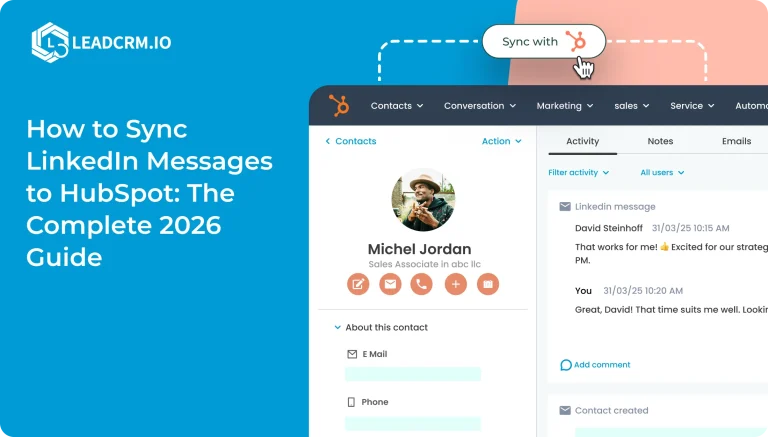
LeadCRM handles this workflow through its browser extension and CRM connections. It maps LinkedIn profile and company information into separate Contact, Company, and Enriched Data fields. It also supports messages, tasks, notes, and deals where the connected CRM supports those record types. LinkedIn messages are synchronized from LinkedIn to the CRM as timeline activities where supported, or as timestamped notes where that’s the CRM’s model.
6. Enrich fields that improve the next decision
Use enrichment to support segmentation, routing, personalization, or follow-up. Add company context when it helps an account owner understand the prospect. Add contact details when the team has a valid use for them. If a result conflicts with a trusted CRM value, review it instead of forcing an overwrite.
LeadCRM verifies enrichment data in real time. When delivered data falls below its quality threshold, credits are refunded automatically. Email enrichment uses one credit and phone enrichment uses three credits. When no enrichment data is found, LeadCRM doesn’t send data and doesn’t consume credits.
For broader coverage, teams can bring their own enrichment provider API keys. LeadCRM can run the configured waterfall, verify returned data through a second waterfall, map the results, and update the CRM according to the selected field rules. See the waterfall enrichment feature for the product workflow and the waterfall enrichment setup guide for implementation details.
7. Resolve duplicates and assign the next action
When the CRM already contains the person, link the new context to the existing record instead of creating a second one. The record should then have a clear owner and next step: review, outreach, task, or qualification.
LeadCRM offers two matching modes. Strict Mode uses an exact LinkedIn profile URL. Less Strict Mode checks the profile URL first and falls back to normalized name matching when no URL match is found. Users can update an existing contact with new LinkedIn data rather than creating another record.
8. Measure record quality and adoption
Track completeness for required fields, duplicate rate, records with a named source, time to first follow-up, and the percentage of captured prospects that receive an owner. If your team uses email verification or other quality checks, report those results separately.
The business test is whether the record makes work easier. More filled fields aren’t enough if reps can’t trust the source, routing becomes noisy, or follow-up slows down.
A practical LinkedIn-to-CRM example
Imagine an SDR on a team that already uses HubSpot. She finds a prospect after a relevant company announcement. Before creating anything, she checks whether the person is already in HubSpot.
If a match exists, she links the LinkedIn profile to the existing record and preserves the new context there. If no match exists, she adds the prospect using her selected field mappings and creates the current-company context.
Next, she enriches the fields that support responsible follow-up: current role, professional email where available, and relevant company information. Her team has already decided that enrichment may fill blank fields but may not replace manually maintained fields without review. The LinkedIn message or note is logged in the connected CRM workflow, and the contact receives a clear next action.
The result isn’t an automatically perfect record. It’s a traceable record that gives the next person enough context to continue the conversation.
Governance keeps useful data from becoming noisy data
Enrichment creates problems when it hides provenance or treats every supplied value as authoritative. Use this checklist:
- Keep a source and last-reviewed date for important fields.
- Let trusted sources fill blanks, but define which fields require review before replacement.
- Favor durable identifiers over name-only matches.
- Keep uncertain matches in a review queue.
- Give one owner responsibility for duplicate resolution.
- Review active records more often than dormant records.
- Use personal data responsibly and follow the rules that apply to your organization and source data.
LeadCRM is approved to be described as CCPA and GDPR compliant and as using a zero-contact-data-storage policy. Contact data is sent directly to the connected CRM, while LeadCRM stores only a key needed to retrieve records when necessary for the LinkedIn interface. Teams remain responsible for using enriched data lawfully in their own workflows.
How to evaluate a CRM enrichment tool
Choose a tool around the CRM workflow your team already runs, not a list of isolated features. Ask:
- Which contact and company fields can it map into our CRM?
- Can Contact, Company, and Enriched Data mappings remain separate?
- Can it fill blanks without blindly overwriting trusted values?
- How does it handle an existing record or likely duplicate?
- Can reps carry prospecting context and activities into the CRM?
- Can RevOps review source, mapping, and match decisions?
- Can it support both point-of-work updates and controlled batch reviews?
- What does the workflow cost when the team actually uses it?
For teams that prospect on LinkedIn or Sales Navigator, LeadCRM brings capture, matching, mapping, enrichment, and CRM handoff into one workflow. It supports native one-click connections to HubSpot, Close, Pipedrive, Salesforce, Zoho CRM, Copper, Google Sheets, and GoHighLevel. The practical benefit is continuity between the rep’s prospecting work and the CRM the team already uses.
Frequently asked questions
What is CRM data enrichment?
CRM data enrichment adds useful missing or updated contact and company information to an existing CRM record. It works best alongside validation, normalization, governance, and duplicate controls.
What is the difference between real-time and batch enrichment?
Real-time enrichment responds to an event close to the moment a record is captured or used. Batch enrichment processes a selected group of records together on a schedule or in a one-time run. Many teams use real-time updates for active work and batch reviews for their wider database.
Which CRM fields should I enrich first?
Start with fields that affect routing and follow-up: a durable contact identifier, current role, company context, owner, source, and the activity that explains why the record exists. Add other fields only when the team uses them.
How often should CRM data be refreshed?
Refresh active records when a workflow calls for current context. Review the wider database on a schedule that matches its rate of change and your team’s ability to inspect exceptions. The right cadence is the one you can govern and measure.
How do I prevent duplicates during enrichment?
Match against the CRM before creating a record, favor durable identifiers, define merge rules, and send uncertain matches for review. Record creation and duplicate control should be one workflow.
Does real-time enrichment make batch enrichment unnecessary?
No. Real-time enrichment helps when timing matters, but batch enrichment remains useful for existing lists, dormant records, and controlled data-quality projects. A hybrid process usually gives teams better coverage without refreshing every record at every moment.
Is LinkedIn data enough to build a CRM record?
LinkedIn context can be a strong starting point for a prospecting record, but it doesn’t remove the need for field rules, validation, review, and responsible use of data. Add the information that supports the next legitimate workflow.
Build records your team can act on
CRM data enrichment works when it makes the next action clearer. Define the minimum usable record, choose real-time or batch updates according to the workflow, protect trusted fields, match before creating, and keep prospecting context connected to the CRM.
If your team prospects on LinkedIn or Sales Navigator, try LeadCRM to capture prospects, match them against your CRM, map the fields you need, and preserve the context behind each outreach action.
Sources
- LeadCRM, Waterfall data enrichment.
- LeadCRM, What is waterfall enrichment in LeadCRM and how to set it up.
- HubSpot, Data hygiene.
- Salesforce, Data integration patterns and practices.