Get your Black Friday deal today! Avail now! 💥

How to Use Sequences in HubSpot

Sequences in HubSpot Sales Hub allow sales representatives to automate personalized outreach. Instead of manually tracking follow ups, sequences create a structured set of actions that guide communication with prospects. A sequence typically includes automated emails, manual follow up tasks, and reminders that are triggered over a defined schedule. This helps sales teams maintain consistent engagement with leads while reducing repetitive manual work.

Table of Contents

Sequences are especially useful for sales development representatives and account executives who manage multiple prospects at the same time. By using sequences, teams can ensure that no follow up is missed and every lead receives timely communication.

This guide explains how to create, enroll contacts, and manage sequences in HubSpot.

Step 1: Log in to Your HubSpot Account

Begin by signing in to your HubSpot account.
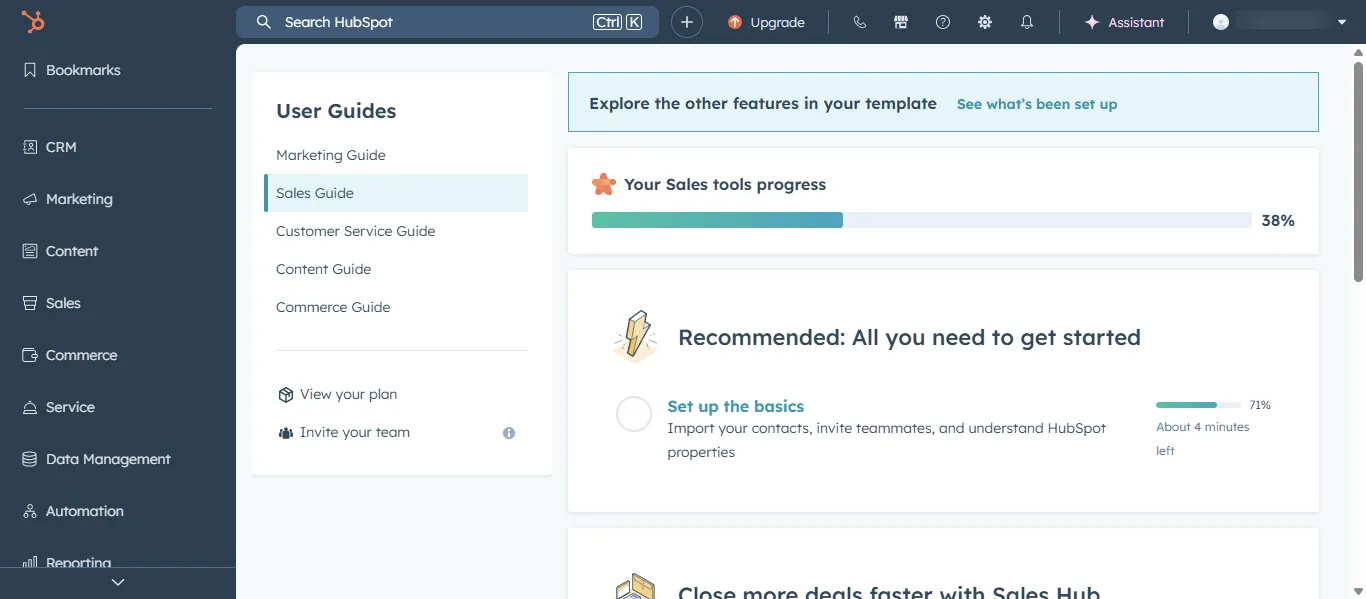
  • Open your browser and go to hubspot.com.
  • Click Log In in the top navigation.
  • Enter your email address and password.
  • After logging in, you will land on the HubSpot dashboard.
  • From the dashboard you can access tools related to CRM, marketing, sales, and automation.

Step 2: Navigate to the Sequences Tool

Sequences are located within the sales tools section of HubSpot.

To access sequences:

  • In the top navigation bar, click Automation or Sales depending on your HubSpot configuration.
  • Select Sequences from the dropdown menu.
  • The sequences dashboard will display all existing sequences available in your account.
  • This page allows you to create, edit, and monitor outreach sequences.

Step 3: Create a New Sequence

To automate outreach activities, you first need to create a sequence.

  • Click Create Sequence.
  • Enter a name for the sequence.
  • Choose a template or start with a blank sequence.
  • Add steps such as emails or follow up tasks.

A typical sequence might include:

  • Initial outreach email
  • Follow up email after two days
  • Task reminder to make a call
  • Final follow up email

Each step can be scheduled based on a specific delay after the previous step.

Step 4: Add Emails and Tasks to the Sequence

Sequences allow both automated emails and manual actions.

To configure sequence steps:

  • Add an Email step and write the message you want to send.
  • Set the delay between steps.
  • Add Task reminders for calls or manual follow ups.
  • Personalize emails using contact properties such as name or company.

This combination of automated emails and manual outreach helps maintain a personal approach while saving time.

Step 5: Enroll Contacts into a Sequence

Once the sequence is ready, you can enroll in contacts.

To enroll a contact:

  • Open the Contact record in HubSpot.
  • Click Enroll in Sequence.
  • Select the sequence you created.
  • Review the email schedule and settings.
  • Click Start Sequence.

The contact will now receive emails and task reminders according to the sequence schedule.

Step 6: Monitor Sequence Activity in the Sales Workspace

HubSpot displays sequence activity inside the Sales Workspace.

Sales representatives can monitor:

  • Emails sent
  • Email opens and replies
  • Task completion
  • Contacts currently enrolled in sequences

If a prospect replies to an email, HubSpot automatically pauses the sequence to prevent unnecessary follow ups.

This ensures that communication remains natural and personalized.

Step 7: Manage and Update Active Sequences

Sequences should be reviewed regularly to maintain strong outreach performance.

You can manage sequences by:

  • Updating email messaging
  • Adjusting time delays between steps
  • Reviewing response rates
  • Removing inactive contacts

Improving sequence content over time helps increase engagement and response rates.

Best Practices for Using Sequences

To get the best results from HubSpot sequences:

  • Keep emails short and personalized
  • Use delays between messages to avoid overwhelming prospects
  • Combine automated emails with manual call tasks
  • Monitor reply to rates and adjust messaging
  • Pause sequences when meaningful conversations begin

Conclusion

Sequences in HubSpot Sales Hub help sales teams manage outreach at scale while maintaining personalized communication. By combining automated emails with manual follow ups, representatives can engage multiple prospects without losing track of conversations.

When used correctly, sequences improve outreach consistency, increase response rates, and help sales teams move prospects through the pipeline more efficiently.